


Updated June 2026
Most people assume that creating professional AI-generated video requires an expensive subscription to a platform like Runway or Sora.
That assumption is no longer accurate.
The best free AI video tools available in 2026 include genuinely capable open source models, developer frameworks used in production workflows, and cloud based tools from companies like Google and HeyGen that offer serious functionality at zero upfront cost.
The challenge is that these tools are very different from one another and serve distinct purposes.
The right tool for a developer building automated marketing videos is completely different from the right tool for a teacher turning research into explainer videos.
This guide covers the best free AI video tools in 2026 in detail, comparing five tools that each solve a different video creation problem, explaining exactly what each one does and who it is built for, and helping you choose the right tool based on your specific workflow rather than following general recommendations that may not apply to your situation.
Table of Contents
What You Will Learn
At a Glance: Quick Comparison
| Tool | Best For | Free | Difficulty | Rating |
|---|---|---|---|---|
| Remotion | Developers |  |
Advanced | 4.3/5 |
| HyperFrames | AI agents/devs | |
Moderate | 4.2/5 |
| Hunyuan Video | Creators/GPU | |
Advanced | 4.1/5 |
| LTX Video 2 | Fast local 4K | |
Moderate | 4.4/5 |
| NotebookLM | Educators | |
Easy | 4.5/5 |
Why Trust FutureToolLab
FutureToolLab evaluates software tools based on publicly available features, official documentation, community adoption, and real-world use cases, with no affiliate arrangements.
Every tool in this guide was assessed against six criteria:
- Video quality
- Ease of use
- AI capabilities
- Free-access limitations
- Community support
- And value for the specific users it serves.
No tool was included because of a commercial relationship.
How We Chose These Tools
The five tools in this guide were selected because they represent genuinely distinct approaches to free AI video creation in 2026.
Video quality: does the tool produce output that looks professional in its intended use case?
Ease of use: can users at the target skill level get a useful result without excessive setup time?
AI capabilities: how deeply is AI integrated and does it meaningfully reduce the effort required?
Free access: is the free tier genuinely useful or is it effectively unusable without upgrading?
Performance: does the tool run reliably and produce results in a reasonable timeframe?
Community support: is there active documentation, community help, and regular development?
Value: does the free version deliver something worth the setup investment?
Tool 1: Remotion
Quick Verdict
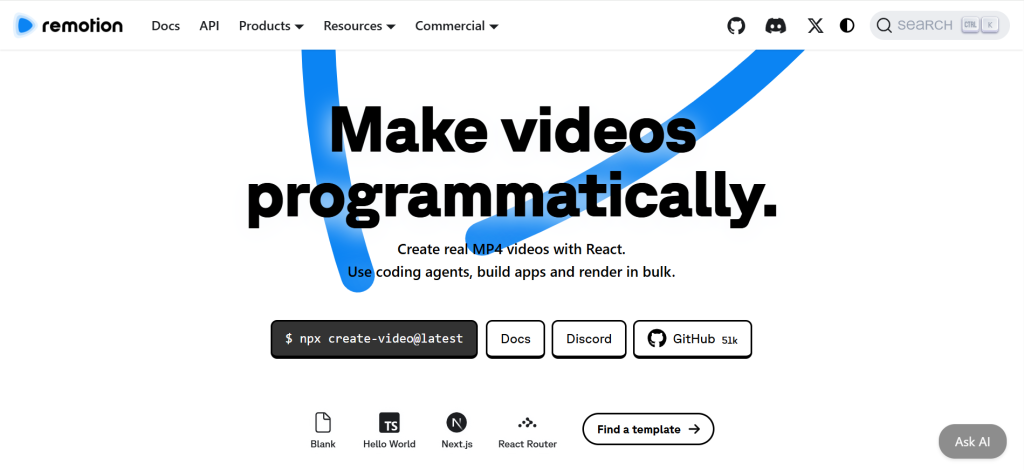
Remotion is a React-based video framework that lets developers create videos programmatically; it is not a traditional video editor and is not suitable for non-developers.
For developers who want to automate video production, create data-driven motion graphics, or integrate AI assistants into a video generation pipeline, it is one of the most powerful free tools available in 2026.
| Best For | Developers, engineers, technical creators |
| Free | Yes, free for individuals and companies with fewer than 4 employees |
| Platform | Local installation, Node.js required |
| Difficulty | Advanced |
| Overall Rating | 4.3 / 5 |
What Is Remotion?
Remotion is an open-source framework created by Jonny Burger that allows developers to create videos using React components, JSX, and CSS instead of traditional video editing software.
The concept is straightforward: a video is treated as a React application that renders frame by frame. You write components that respond to the current frame number, and Remotion captures each frame using a headless browser and stitches them together into an MP4 file using FFmpeg.
In January 2026, Remotion launched Agent Skills for Claude Code, an integration that allows developers to generate and modify Remotion video compositions using natural language prompts. Instead of manually calculating animation curves and keyframe offsets, you describe the video you want to an AI coding assistant, and it generates the React code.
This significantly lowered the barrier to entry for developers already using AI coding tools, though it still requires a functioning development environment and familiarity with how Remotion works.
What Can You Build With It?
Automated personalized marketing videos that pull data from APIs, data visualization videos where charts and graphs animate in response to live data, motion graphics for product demos and explainer videos, programmatic social media content where the same template generates hundreds of variants with different copy, and developer-focused content like animated changelog videos or code tutorials.
Key Features
React-based composition: video layouts are defined as standard React components using hooks, props, and familiar web development patterns. Any developer who knows React can write Remotion compositions without learning a proprietary system.
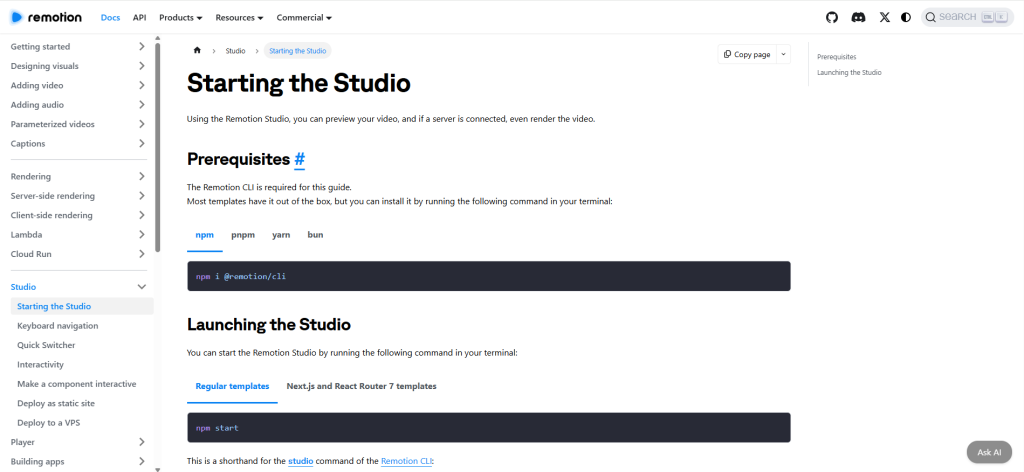
Remotion Studio: a browser-based development environment that provides a real-time preview of compositions as you code, allowing fast iteration without rendering the full video for every change.
Agent Skills integration: the January 2026 Claude Code integration installs 28 modular skill files that teach AI assistants the Remotion API. This allows natural language prompts like “create a 5-second video with this text that fades in and slides out” to produce working React video code.
AWS Lambda rendering: for high-volume production, Remotion Lambda enables parallel rendering across multiple AWS Lambda functions, allowing thousands of personalized videos to be generated simultaneously.
Version control: because video projects are code, they integrate naturally with Git. Video changes can be tracked, reviewed, and reverted like any other codebase.
Asset support: import images, videos, fonts, and audio files just as in any React application. Audio tracks can be synchronized with animations using Remotion’s built-in audio hooks.
Pros
The programmatic approach to video creation is uniquely powerful for automation and scale. Generating 1,000 personalized marketing videos from a single template is technically straightforward in Remotion in a way that is impossible in traditional video editors.
Free access for individuals and companies with fewer than four employees is genuinely unrestricted. The free license covers commercial use for small teams without any feature limitations.
Integration with AI coding assistants means developers can now describe videos in plain language and generate working code, which substantially reduces the time from concept to first render.
Cons
Remotion is exclusively for developers. It requires Node.js, FFmpeg, a code editor, and React knowledge. Someone without development experience cannot use it productively regardless of AI assistance.
The output quality is determined entirely by what you code. Unlike generative AI models that produce visual results from prompts, Remotion requires deliberate design choices about every element.
Commercial companies with four or more employees require a paid license, which starts at $150 per month.
Best Use Cases
Automated video production pipelines, personalized video marketing at scale, data-driven animated reports, programmatic social media content, and any workflow where the same video structure needs to be generated repeatedly with different data.
Who Should Choose Remotion?
Choose Remotion if you are a developer, engineer, or technical content creator who wants to automate video production, integrate video generation into an existing development workflow, or build motion graphics systems that generate content at scale without manual editing.
Skip Remotion if you do not have a development background. The Claude Code integration does not eliminate the need for technical knowledge. It accelerates the workflow for people who already have that foundation, not for those who do not.
Ready to Try Remotion?
If you think Remotion fits your video creation workflow, explore its latest features below.

Tool 2: HyperFrames by HeyGen
Quick Verdict
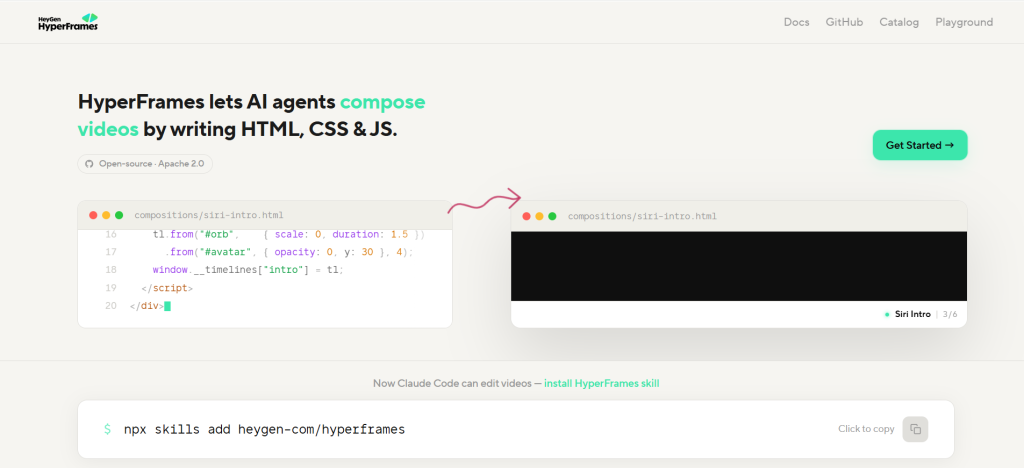
HyperFrames is an open-source video rendering framework from HeyGen that generates videos from plain HTML, CSS, and JavaScript. It is free to use with no per-render fees, no commercial use restrictions, and no seat limits.
Similar to Remotion but using HTML instead of React, it is built specifically for AI agents and developers who want to create programmatic video without learning React.
| Best For | Developers, AI agent workflows, teams already writing HTML |
| Free | Yes, Apache 2.0 open source, no per-render fees |
| Platform | Local installation or cloud via HeyGen catalog |
| Difficulty | Moderate to Advanced |
| Overall Rating | 4.2 / 5 |
What Is HyperFrames?
HyperFrames is an open-source video rendering framework created by HeyGen and released under the Apache 2.0 license in April 2026.
The core idea is that HTML is a more natural authoring format for AI agents than React components. Because large language models already generate HTML reliably and fluently, HyperFrames lets AI coding tools compose videos without needing to learn Remotion’s React specific patterns.
You write video compositions as HTML files with data attributes, animate them using GSAP, CSS animations, Lottie, Three.js, or other standard web animation libraries, and render them to MP4 using a headless Chrome and FFmpeg pipeline that is deterministic, meaning the same input always produces the same output.
HeyGen launched HyperFrames V2 in April 2026, open-sourcing the project and shipping 19 AI skills for tools including Claude Code, Cursor, Gemini CLI, and Codex.
What Can You Build With It?
Product intro videos, social media clips with animated text and transitions, animated explainer videos, data visualizations, captions and lower-third overlays, kinetic text animations, brand video templates, and any web-native visual that can be described in HTML and animated with standard web libraries.
Key Features
HTML-native compositions: video compositions are standard HTML files. There is no proprietary timeline format, no React requirement, and no build step. A composition plays as-is in any browser and can be previewed directly before rendering.
AI agent skills: 19 modular skills install via a single terminal command and teach AI coding tools the full HyperFrames workflow, from planning a video through writing HTML to linting, previewing, and rendering. Works with Claude Code, Cursor, Gemini CLI, and Codex.
Adapter-based animation: any standard web animation library can be used as an adapter. GSAP, CSS animations, Lottie, Three.js, Anime.js, and WAAPI are all supported, giving teams complete flexibility over their animation stack.
Deterministic rendering: identical inputs always produce identical outputs, which is essential for automated content pipelines and regression testing across versions.
Apache 2.0 license: no per-render fees, no seat limits, no commercial use thresholds. The license is completely unrestricted for any commercial application at any scale.
CLI tooling: a full command-line interface handles initialization, linting, validation, preview, rendering, and deployment, including cloud rendering via AWS Lambda.
Pros
The Apache 2.0 license with no commercial restrictions is the most permissive of any tool in this guide. Teams can generate unlimited videos at any scale without incurring per-render costs.
Because HTML is a format AI models generate well, the AI-assisted workflow produces more reliable results than frameworks that require specialized syntax. An AI coding tool writing standard HTML is less likely to produce errors than one writing Remotion’s React animation patterns.
No build step and instant browser preview make the development cycle faster than React-based alternatives.
Cons
Like Remotion, HyperFrames requires technical knowledge to use productively. Terminal commands, HTML writing, and understanding of web animation libraries are all necessary.
As a newer tool launched in April 2026, the community ecosystem and library of ready-to-use templates are less developed than Remotion’s.
Rendering complex compositions with heavy Three.js or GSAP animations requires significant compute time and capable hardware.
Best Use Cases
Automated marketing video production, consistent branded content templates that AI agents populate with new data, overlay and lower-third graphics for existing footage, rapid prototyping of video concepts using standard web skills, and building video generation into larger content automation pipelines.
Who Should Choose HyperFrames?
Choose HyperFrames if you already work with HTML and web technologies, want to build AI-assisted video workflows without learning React, or need a completely unrestricted commercial license for automated video production at scale.
Skip HyperFrames if you need a no-code or low-code solution, or if you want to generate AI video from visual prompts rather than code. For non-developers, the tools later in this guide are more appropriate.
Ready to Try HyperFrames?
If you think HyperFrames fits your video creation workflow, explore its latest features below.
Tool 3: Hunyuan Video
Quick Verdict
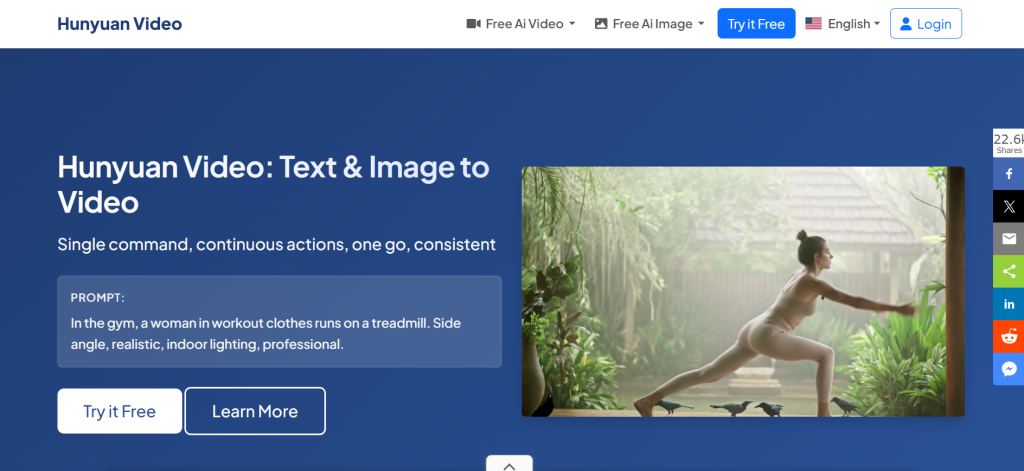
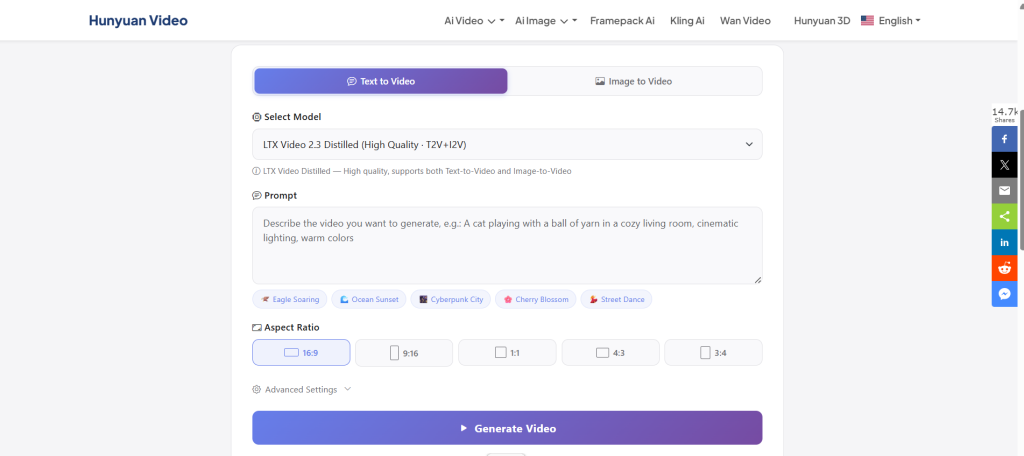
Hunyuan Video is Tencent’s open-source AI video generation model that produces high-quality text-to-video and image-to-video output locally on your own hardware.
The version 1.5 update significantly reduced hardware requirements, making it accessible on consumer GPUs. For creators who want to generate cinematic AI video without paying per-second cloud fees, it is one of the strongest open-source options in 2026.
| Best For | Creators, researchers, independent filmmakers with capable GPUs |
| Free | Yes, open weights under Tencent HunyuanVideo Community License |
| Platform | Local installation, NVIDIA GPU required |
| Difficulty | Advanced |
| Overall Rating | 4.1 / 5 |
What Is Hunyuan Video?
Hunyuan Video is an open-source video generation model developed by Tencent. The original release packed 13 billion parameters and required datacenter-grade GPU hardware. The 1.5 update reduced this to 8.3 billion parameters while improving output quality, bringing the hardware requirements down to a level that works on consumer RTX 4090 cards.
The model uses a Diffusion Transformer architecture with a 3D causal VAE that compresses video data by 16 times spatially and 4 times temporally. This design produces strong temporal consistency, meaning characters and objects maintain their appearance reliably across multi-second clips, which is one of the most common failure modes in AI video generation.
Hunyuan Video is distributed on GitHub and Hugging Face. It runs through ComfyUI or SD. Next, both of which are widely used interfaces for local AI model workflows.
What Can You Build With It?
Text-to-video clips up to 10 seconds at resolutions up to 720p, image-to-video animations, cinematic motion sequences for short films and demos, product visualization videos, nature and abstract scene generation, and human motion sequences with strong face and clothing consistency.
Key Features
Temporal consistency: the architecture prioritizes maintaining stable visual identity for subjects across the full clip duration. Faces, clothing, and object appearance hold up significantly better than many competing open source models over 5-to-10 second clips.
Unified text-to-video and image-to-video: a single model handles both generation modes, meaning you can either describe a scene from scratch or animate an existing image as a starting point.
Camera control: fine-grained camera movement including dolly, zoom, pan, tilt, and orbit can be directed through structured prompt annotations, which is uncommon in open-source models.
FP8 quantization support: quantized variants reduce VRAM requirements significantly, allowing the model to run on consumer GPUs with 14 to 24GB of VRAM depending on resolution and settings.
ComfyUI integration: full ComfyUI node support allows Hunyuan Video to fit into existing local AI workflows alongside image generation and other models.
Commercial license: the Tencent HunyuanVideo Community License permits commercial use for applications with up to 100 million monthly active users. Beyond that threshold, a separate commercial agreement is required.
Pros
The output quality for natural motion and physics, including fluid dynamics, cloth simulation, and object interactions, is consistently strong and competitive with mid-tier cloud platforms in 2026.
Running locally means no per-generation costs, no content policy filters, and no data sent to third-party servers. For creators generating high volumes of clips or working with sensitive visual content, this is a significant practical advantage.
The active community around HunyuanVideo on GitHub, Reddit, and Discord has produced optimization guides, ComfyUI workflows, and troubleshooting documentation that makes setup substantially more approachable than the official documentation alone suggests.
Cons
Hardware requirements remain the biggest barrier. The original model needs 60GB of VRAM at full precision. With FP8 quantization, it runs on 24GB consumer GPUs, but the setup process requires technical knowledge to configure correctly.
Generation time on consumer hardware is measured in minutes per clip. A 5-second 720p generation takes approximately 6 minutes on an RTX 4090. This makes rapid iteration slow compared to distilled models like LTX Video.
The community license restrictions at scale are worth noting for businesses. Applications expecting significant growth should review the license terms before building commercial workflows around Hunyuan Video.
Best Use Cases
High-quality local video generation for independent filmmakers and content creators, research and experimentation with open-source video models, generating cinematic clips for product demos and promotional content, and building local video generation workflows where data privacy is a requirement.
Who Should Choose Hunyuan Video?
Choose Hunyuan Video if you have an NVIDIA GPU with at least 14 to 24GB of VRAM, you want cinematic-quality AI video generation without per-clip fees, and you are comfortable with a technical local installation workflow.
Skip Hunyuan Video if you do not have compatible GPU hardware, need fast iteration times, or want a no-code cloud-based tool. The setup complexity and generation times make it unsuitable for users who need quick results or have limited technical background.
Ready to Try Hunyuan Video?
If you think Hunyuan Video fits your video creation workflow, explore its latest features below.
Tool 4: LTX Video 2
Quick Verdict
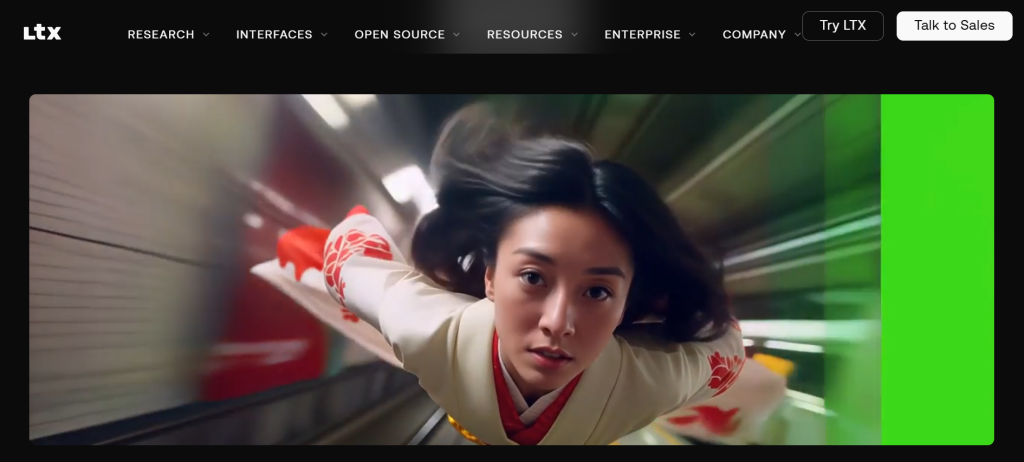
LTX Video 2 is the fastest open-source AI video generation model available in 2026 and the first to generate synchronized 4K audio and video in a single pass.
Built by Lightricks and released on January 6, 2026, it runs locally on consumer GPUs and is free for commercial use for companies with annual revenue under $10 million.
For creators who want high speed iteration and offline video generation without per-clip fees, it is the most practically accessible tool in this guide.
| Best For | Content creators, indie filmmakers, rapid prototyping |
| Free | Yes, free commercial license under $10M ARR |
| Platform | Local via LTX Desktop or ComfyUI, GPU required |
| Difficulty | Moderate |
| Overall Rating | 4.4 / 5 |
What Is LTX Video 2?
LTX Video 2 is a 22 billion parameter open-source diffusion transformer model from Lightricks, the company behind consumer creative tools like Facetune and Videoleap.
Released on January 6, 2026, it was the first open-source model to generate synchronized audio and video in a single diffusion pass, meaning video and sound are generated together rather than requiring a separate audio pipeline.
The March 2026 update, LTX 2.3, introduced native 4K output at up to 50 frames per second and clips up to 20 seconds in Fast mode.
LTX Desktop, a free application that ships with LTX 2.3, allows the model to run locally on consumer GPUs through a graphical interface rather than requiring ComfyUI or terminal commands. This makes LTX Video the most accessible local AI video tool in this guide from a setup perspective.
On an RTX 4090, a 5-second clip in Fast mode generates in approximately 90 seconds, making it the fastest serious local video generation option currently available.
What Can You Build With It?
Text-to-video clips up to 20 seconds in Fast mode and 10 seconds in Pro mode, image-to-video animations, cinematic 4K video with synchronized ambient audio, marketing videos, product visualizations, concept prototypes, and social media clips with audio included from a single generation pass.
Key Features
Synchronized audio and video generation: the first open-source model to produce audio and video in a single pass. Ambient sound, background noise, and environmental audio are generated alongside the visual output without needing a separate audio model.
Native 4K at 50fps: LTX 2.3 outputs up to 3840×2160 resolution at up to 50 frames per second. Previous open-source models topped out at 720p or 1080p. This is a genuine production-grade output resolution.
Faster than real-time generation: in Fast mode, LTX Video generates clips faster than their actual playback duration on capable hardware. This enables a rapid iteration workflow that is simply not possible with slower models.
LTX Desktop: a free graphical application that packages the full LTX 2.3 workflow into a consumer-friendly interface. No ComfyUI setup, no terminal configuration. Install, open, generate.
Fast and Pro modes: Fast mode prioritizes speed for concept iteration and high-volume generation. Pro mode delivers higher visual fidelity for final delivery and hero shots where detail and color accuracy matter.
LoRA fine-tuning support: the model supports LoRA adapters, allowing teams to fine-tune on specific visual styles, brand aesthetics, or character consistency across a series.
Free commercial license: companies with annual revenue under $10 million can use LTX Video 2 commercially at no cost. The license includes full model weights, training code, and inference tooling.
Pros
The speed advantage over every other model in this guide is substantial. The ability to iterate quickly and see results in under two minutes changes the creative workflow from waiting and hoping to actively refining.
LTX Desktop removes the technical barrier that makes other local models inaccessible to non-developers. If you can install an application, you can run LTX Video locally.
The first open-source 4K synchronized audio-video generation capability makes LTX 2.3 genuinely production-ready for independent creators who previously needed expensive cloud platforms for professional output quality.
Training data licensed from Getty Images and Shutterstock provides clear copyright provenance, which is a meaningful practical advantage for commercial use.
Cons
The official specification requires 32GB of VRAM for the full model. Community quantized variants (GGUF) push this down to 12 to 16GB, but these are unofficial paths with experimental support.
Pro mode’s 10-second maximum clip length is a real limitation for longer-form content. Generating longer sequences requires building from multiple clips in a post-production workflow.
While the synchronized audio is a genuine breakthrough, it produces ambient and environmental sound rather than dialogue or narration. Voiceover still requires a separate text-to-speech step.
Best Use Cases
High-speed video concept prototyping, generating marketing clips and product demos at scale, indie film pre-visualization, social media content with ambient audio, and any workflow where volume and iteration speed are more important than maximum visual polish.
Who Should Choose LTX Video 2?
Choose LTX Video 2 if you want the fastest local AI video generation available, you need 4K output for commercial work, you prefer working offline without per-clip fees, and your GPU meets the minimum hardware requirements (ideally 32GB, with community quantization paths for 16GB cards).
Skip LTX Video 2 if your GPU has less than 12GB of VRAM – the official model will not run, and the quantized paths are experimental. For low-hardware or no-hardware workflows, NotebookLM or cloud-based tools are more appropriate.
Ready to Try LTX Video 2?
If you think LTX Video 2 fits your video creation workflow, explore its latest features below.
Tool 5: NotebookLM
Quick Verdict
NotebookLM is not a traditional AI video generator. It is Google’s AI research assistant that can turn uploaded documents, PDFs, and notes into narrated explainer videos, podcast-style audio overviews, slide decks, and visual summaries.
For educators, researchers, and content creators who want to repurpose existing written material into video content without any technical setup, it is the most accessible and practical tool in this guide.
| Best For | Educators, researchers, content creators, businesses creating explainer content |
| Free | Yes, free plan includes video overviews |
| Platform | Web-based, no installation required |
| Difficulty | Easy |
| Overall Rating | 4.5 / 5 |
What Is NotebookLM?
NotebookLM is Google’s source-grounded AI research assistant, powered by Gemini.
You upload source materials PDFs, Google Docs, websites, YouTube videos, research papers, lecture notes, and NotebookLM generates responses, summaries, and multimedia outputs that are grounded only in what you uploaded.
The Studio panel is where video creation happens. Upload your sources, click Video Overview, and NotebookLM generates a narrated explainer video that pulls images, diagrams, and quotes from your documents alongside AI-generated visuals.
The result is a structured educational video similar in format to a YouTube explainer, generated entirely from your own material.
In March 2026, Google launched Cinematic Video Overviews, fully animated explainer videos combining Gemini, Imagen, and Veo, available to NotebookLM Ultra subscribers.
The free and Pro plans include the standard Video Overviews, which produce narrated slide-style videos.
The free plan includes 100 notebooks, 50 sources per notebook, 50 chat queries per day, and up to 3 video overviews per day, which is sufficient for regular use without requiring an upgrade.
What Can You Build With It?
Narrated explainer videos from research papers and documents, educational content for courses and training programs, video summaries of long reports and meeting notes, internal knowledge sharing videos, study aids for complex topics, podcast-style audio overviews, slide decks, mind maps, flashcards, and quizzes, all generated from the same uploaded source material.
Key Features
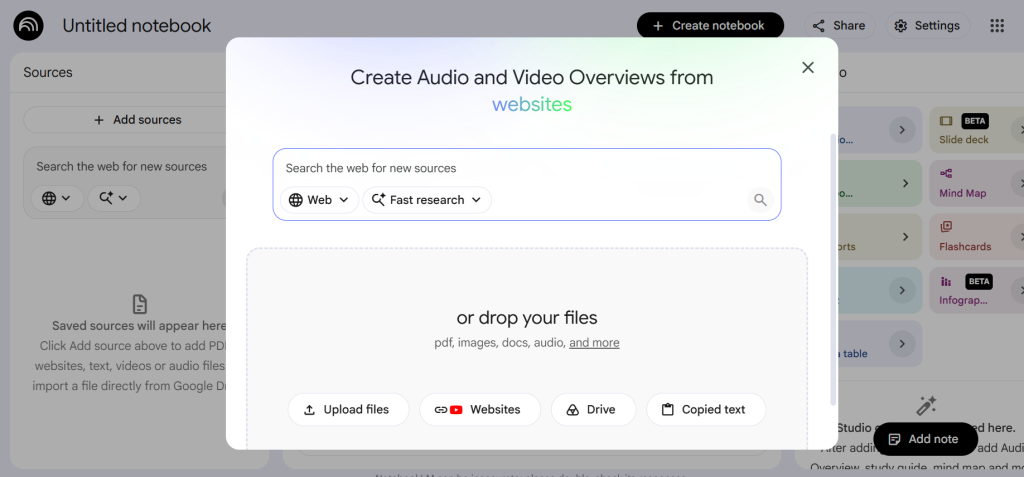
Video Overviews: one-click generation of narrated video from uploaded sources. The AI host creates visuals to illustrate points while pulling in images, diagrams, quotes, and numbers from your documents.
Effective for explaining data, demonstrating processes, and making abstract concepts tangible.
Source grounding: NotebookLM generates responses and video content only from the material you upload. This significantly reduces hallucination and means your video content stays accurate to your specific source documents rather than drawing on general training data.
Audio Overviews: generate a podcast-style conversation between two AI hosts who discuss and debate the content of your sources. Customizable by topic focus, complexity level, and language.
Widely used by educators for accessible content creation.
Multi-format Studio: the same source material can generate video overviews, audio overviews, mind maps, study guides, flashcards, quizzes, infographics, and slide decks, making NotebookLM a complete educational content production system from a single upload.
Google Classroom integration: available for Google Workspace for Education users, allowing notebooks to be created directly from Classroom materials and shared with students in read-only mode.
Cinematic Video Overviews: available on Ultra plans, this feature combines Gemini, Imagen, and Veo to produce fully animated narrative videos from source material, going beyond the narrated slides of the standard Video Overview.
Pros
NotebookLM requires no technical background, no installation, and no GPU hardware. Anyone with a Google account can upload documents and generate video content within minutes.
The source-grounding approach produces more accurate and relevant content than general-purpose AI tools that draw on broad training data. Videos are grounded in what you actually provided.
The free plan is genuinely useful. Three video overviews per day plus 50 chat queries is sufficient for regular research and educational content creation without any cost.
The combination of audio, video, mind maps, flashcards, and quizzes from the same sources makes NotebookLM one of the most complete free content creation ecosystems available for educators and researchers.
Cons
NotebookLM generates from your uploaded sources, which means the quality and depth of the video output depends entirely on the quality and depth of what you upload. Thin or poorly structured source material produces thin video output.
Standard Video Overviews follow a structured educational format. Creators who need a specific visual style, brand identity, or creative direction cannot control the aesthetic of the output.
Cinematic Video Overviews with fully animated AI visuals require a NotebookLM Ultra subscription at $99.99 per month, which is a significant cost step above the free tier.
There is no offline mode and no local processing. Everything runs through Google servers, which may be a concern for users with sensitive or confidential source material.
Best Use Cases
Educators turning curriculum materials into accessible video content, researchers summarizing findings for non-specialist audiences, business teams turning internal documentation into onboarding and training videos, YouTubers and content creators planning educational video series, and anyone who needs to repurpose written material into video format quickly and without technical overhead.
Who Should Choose NotebookLM?
Choose NotebookLM if you want to turn existing documents, research, or notes into educational video content without any technical setup, GPU hardware, or video production knowledge. It is the most accessible tool in this guide by a significant margin.
Skip NotebookLM if you need generative AI video from scratch using text-to-video prompts, require custom visual styles, need offline local generation, or are building automated video production pipelines. For those needs, Remotion, HyperFrames, or the local models earlier in this guide are more appropriate.
Ready to Try NotebookLM?
If you think NotebookLM fits your video creation workflow, explore its latest features below.
Feature Comparison
| Feature | Remotion | HyperFrames | Hunyuan |
|---|---|---|---|
| Text-to-video |  |
|
|
| Image-to-video | |
|
|
| Local install | |
|
|
| Open source | Source avail. | Apache 2.0 | Community lic. |
| No coding needed | |
|
|
| GPU required | |
|
|
| Free commercial | Under 4 staff | Unlimited | Under 100M MAU |
| Feature | LTX Video 2 | NotebookLM |
|---|---|---|
| Text-to-video | |
From docs only |
| Image-to-video | |
|
| Local install | |
|
| Cloud based | API optional | |
| No coding needed | Desktop app | |
| GPU required | |
|
| Free commercial | Under $10M ARR | Google terms |
Which Free AI Video Tool Should You Choose?
Beginners
NotebookLM is the clear starting point. No installation, no technical knowledge, and free video generation from your own documents in minutes. If you want to explore AI video without any setup friction, start here.
Content creators and YouTubers
LTX Video 2 covers the production side with fast generation, 4K output, and free offline rendering with no per-clip costs. NotebookLM handles the research and scripting side by turning source material into structured content. Combining both covers a complete content creation workflow.
Educators
NotebookLM is purpose-built for this use case. Upload lecture notes, research papers, or textbook chapters and generate audio overviews, video explainers, flashcards, and quizzes from the same material with a single upload. The Google Classroom integration makes sharing with students direct.
Developers
Remotion and HyperFrames both serve developer workflows, with meaningful differences in approach. Remotion is more mature with a larger community and React-based composition. HyperFrames is newer, HTML-based, and carries an Apache 2.0 license with no commercial restrictions at any scale. Developers who already work in HTML-heavy environments will find HyperFrames the more natural fit.
Businesses with privacy requirements
Hunyuan Video and LTX Video 2 both run locally with no data leaving your infrastructure. For businesses in regulated industries or those working with sensitive visual content, local generation removes the third-party data exposure that cloud-based tools introduce.
Social media creators
LTX Video 2 in Fast mode generates clips quickly enough for high-frequency social media production. The included ambient audio reduces post-production steps. For creators building educational or informational content, NotebookLM’s video overviews can seed the research phase before production.
Common Mistakes When Choosing Free AI Video Tools
Choosing a tool only because it is free
Free does not mean capable for your specific use case. Remotion is free and powerful for developers but completely unsuitable for non-technical users.
NotebookLM is free and exceptional for educational content but cannot generate text-to-video from scratch. Matching the tool to the task matters more than the price.
Ignoring hardware requirements
Hunyuan Video and LTX Video 2 both require capable NVIDIA GPUs to run locally. Attempting to install them on hardware below the minimum requirements wastes significant time. Check VRAM requirements before starting any local model installation.
Ignoring export limitations
Some free tools apply watermarks to exported video, restrict resolution, or limit clip length on free tiers. LTX Video 2 and Hunyuan Video have no such restrictions as open source models. NotebookLM’s free plan does not allow watermark removal. Check what the free tier actually exports before building a workflow around it.
Not checking commercial usage rights
LTX Video 2 is free for commercial use under $10 million ARR. Hunyuan Video permits commercial use up to 100 million monthly active users. Remotion is free for companies with fewer than four employees. NotebookLM’s terms are governed by Google’s standard terms. Understanding the license terms before commercial deployment avoids legal exposure later.
Choosing the wrong workflow for your content type
Remotion and HyperFrames generate video from code. They do not ingest camera footage, process existing video, or respond to visual prompts the way generative AI models do. LTX Video and Hunyuan Video generate from text and image prompts but do not turn documents into structured educational content the way NotebookLM does. Each tool occupies a distinct position, and combining them for different parts of a workflow is often more effective than trying to use one tool for everything.
Frequently Asked Questions
What is the best free AI video tool in 2026?
There is no single best tool because different tools serve different use cases. NotebookLM is best for turning documents into educational videos. LTX Video 2 is best for fast local generation at 4K resolution. Remotion and HyperFrames are best for developers building automated video pipelines. Hunyuan Video is best for creators who want cinematic open-source generation with GPU hardware.
Are free AI video generators worth using in 2026?
Yes, for specific use cases. The best free AI video tools in 2026 are genuinely capable at what they are designed for. LTX Video 2 generates 4K synchronized audio-video locally.
NotebookLM turns research documents into structured video explainers in minutes. The limitation is not quality – it is matching the right tool to the right task.
Can I create commercial videos with free AI video tools?
It depends on the tool. LTX Video 2 is free for commercial use under $10 million annual revenue. HyperFrames carries an Apache 2.0 license with no commercial restrictions.
Remotion is free for commercial use by individuals and companies with fewer than four employees. Hunyuan Video permits commercial use under its community license. Always verify the current license terms for each tool before commercial deployment.
Which AI video tool is best for beginners?
NotebookLM requires no technical knowledge, no installation, and no GPU hardware, making it the most accessible starting point. Upload your source documents, click generate, and receive a narrated video in minutes.
Can free AI video tools replace paid software?
For specific tasks, yes. LTX Video 2 produces 4K output that genuinely competes with mid-tier paid platforms for many use cases. NotebookLM turns documents into educational video in a way that paid video tools do not attempt. For the highest quality cinematic work requiring photorealistic human scenes, top-tier paid platforms like Runway and Kling still have an edge, but the gap is closing significantly.
Final Verdict
Choose Remotion if you are a developer who wants to automate video production, create data driven motion graphics at scale, or build video generation into an existing software development workflow.
Choose HyperFrames if you want an open-source video framework with no commercial restrictions, prefer HTML over React as your authoring format, or are building AI agent workflows where standard web technologies are more natural than React components.
Choose Hunyuan Video if you have capable GPU hardware, want cinematic-quality local video generation without per-clip fees, and are comfortable with a technical installation process involving ComfyUI.
Choose LTX Video 2 if you want the fastest local AI video generation available in 2026, need 4K resolution with synchronized audio, and prefer offline generation without per-second cloud costs.
Choose NotebookLM if you want to turn existing documents, research, or notes into educational video content without any technical setup, GPU hardware, or video production knowledge.
The best free AI video tools in 2026 cover a wide range of use cases; the right choice depends on what you are creating and what technical resources you have available. No single tool in this guide is best for everyone. Use this guide to match the tool to your workflow, not to follow the most popular recommendation.
All feature and licensing information reflects publicly available data as of June 2026. Always verify current terms and requirements directly with each tool before making decisions.
Explore More on FutureToolLab
Explore more software reviews, tool comparisons, and practical guides at FutureToolLab.com