

Melio vs BILL: Which One Should You Use If You’re Paying Vendors for the First Time? (2026 Cost Breakdown)
So your business just landed its first vendor, contractor, or supplier, and now you actually have to pay them. Maybe it’s a freelance designer, a wholesale supplier, your new office landlord, or a software subscription that just renewed.
Suddenly, “just send a bank transfer” isn’t as simple as it sounds, especially if you want the payment tracked, organized, and ready for tax season without digging through bank statements in April.
Two names keep coming up when small business owners search for bill pay software: Melio and BILL. Both let you pay vendors online, sync with QuickBooks or Xero, and skip the days of writing paper checks or wiring money manually.
But when comparing Melio vs BILL for someone paying vendors for the very first time, the right choice isn’t always obvious, and picking the wrong one can mean paying monthly fees you didn’t actually need.
This guide breaks down exactly what each platform costs, what it’s built for, and which one makes sense if this is genuinely your first time setting up vendor payments for your business.
Quick Answer About Melio vs BILL.
If you want the short version before diving in: if this is your first time setting up vendor payments and you’re not sure how many bills you’ll have each month, start with Melio.
It has no monthly subscription fee, free ACH transfers up to a monthly allowance, and doesn’t require your vendors to create an account to receive money from you.
BILL becomes worth considering once:
- You’ve brought on a bookkeeper or team member who needs their own login
- You’re processing a high volume of invoices every month
- You need multi-level approval workflows before payments go out
Here’s the side-by-side breakdown.
Melio vs BILL at a Glance
| Feature | Melio | BILL |
|---|---|---|
| Monthly subscription fee | $0 (free plan available) | Starts around $45/month per user |
| Free ACH transfers | Yes, up to a monthly allowance | No — $0.59 per ACH transfer |
| Vendor sign-up required to receive payment | No | Yes |
| ACH payment speed | Up to 3 business days | Up to 4 business days |
| Check payment fee | $1.50 | $1.99 |
| Approval workflows | Basic | Multi-level, built for teams |
| Best suited for | First-time payers, solo founders, small teams | Businesses with a team, higher invoice volume |
Why This Decision Matters More Than You’d Think [Melio vs BILL]
When you’re paying your first vendor, there’s a natural temptation to sign up for whichever tool shows up first in a Google search, or whatever your accountant happens to mention.
But when it comes to Melio vs BILL, the pricing structures are built for genuinely different stages of a business, and that difference shows up in your bank account faster than you’d expect.
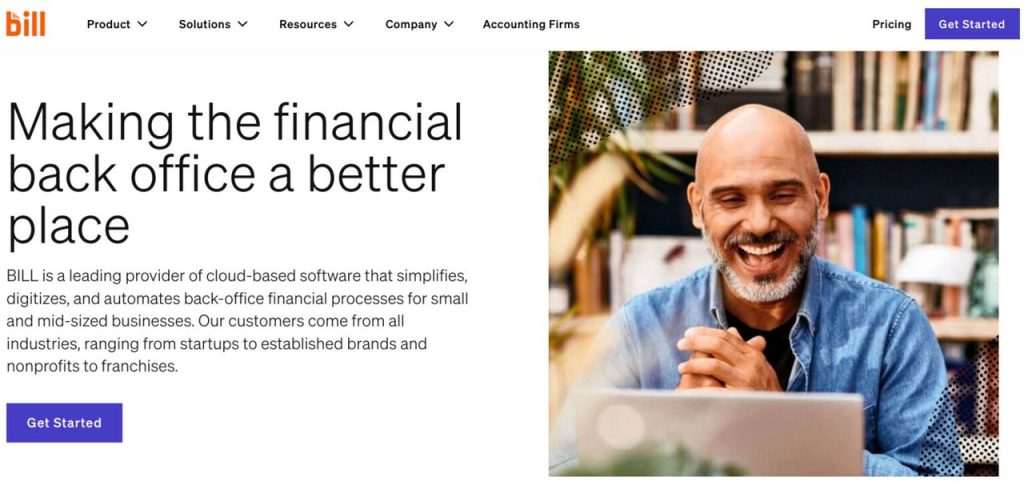
BILL is the stronger platform for businesses that process high volumes of invoices across multiple departments and need enterprise-grade approval controls.
Melio, on the other hand, is built to get you paying vendors digitally as quickly and cheaply as possible, with almost no setup overhead.
If you’re a solo founder, a freelancer who just hired your first contractor, or a two-person team sending out your first handful of payments, you’re almost certainly closer to the second category, even if you’re optimistic about growth down the line.
The mistake a lot of new business owners make is signing up for the “grown-up” tool before they actually need grown-up features, and then quietly paying for capacity they’re not using.
Melio: Built for “I Just Need to Pay Someone”
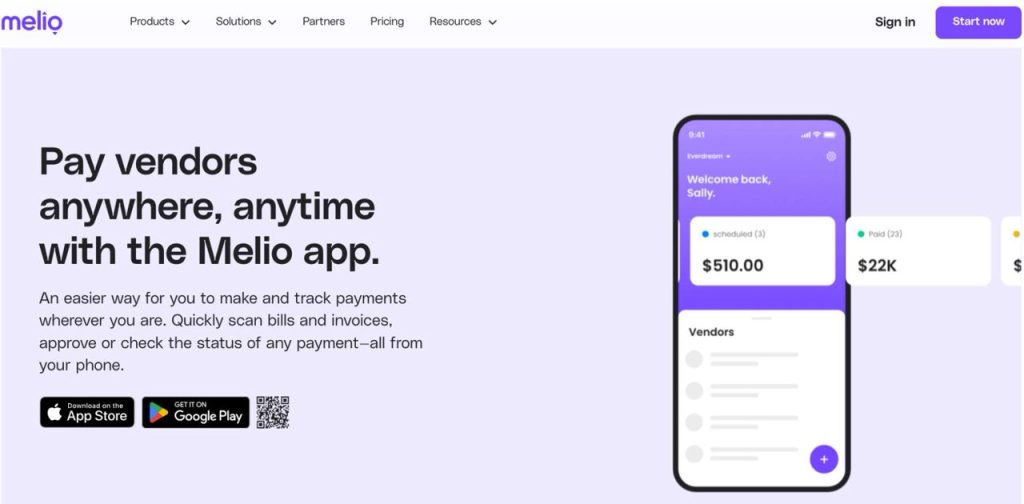
Melio is designed around a simple idea: you shouldn’t need a subscription, a finance team, or a steep learning curve just to send money to a vendor.
It strips away most of the friction that traditionally came with business bill pay, no waiting for paper checks to clear, no manually entering wire details, no chasing vendors for banking information.
What stands out for first-time users:
- No monthly fee to get started. The core plan is free. You only pay for specific extras, like expedited (fast) payments or paying a vendor by credit card when they don’t normally accept cards.
- Free ACH bank transfers are included within a monthly allowance, with a small per-transfer fee charged only after you exceed it.
- Your vendor doesn’t need to sign up for anything. You can pay them directly via bank transfer or check; there’s no awkward “please create an account to receive this payment” email that some platforms require.
- Mobile-friendly bill capture. You can snap a photo of a paper invoice, and Melio extracts the vendor name, amount, and due date automatically.
- Accounting software sync. Melio connects directly with QuickBooks, Xero, and NetSuite, so your payment records flow into your books without manual re-entry.
- Pay over time options. Melio offers net terms and installment payments in some cases, letting you extend your cash flow without the vendor knowing the difference.

Melio: Pros and Cons
| Pros | Cons |
|---|---|
| No monthly subscription fee | Fewer advanced approval workflows than BILL |
| Free ACH transfers included | Less suited for very high invoice volumes (50+ bills/month across teams) |
| Vendors don’t need to create an account | Multi-entity support is more limited than BILL’s |
| Simple, mobile-friendly interface | — |
| Syncs with QuickBooks, Xero, NetSuite | — |
| Lower check and ACH fees overall | — |
For someone paying their first vendor, the appeal of Melio is mostly about removing barriers. There’s no commitment, no monthly cost ticking away in the background, and nothing extra for your vendor to deal with on their end.
You can be set up and sending a payment within minutes of creating an account.
BILL: Built for “We Have a Process Now”
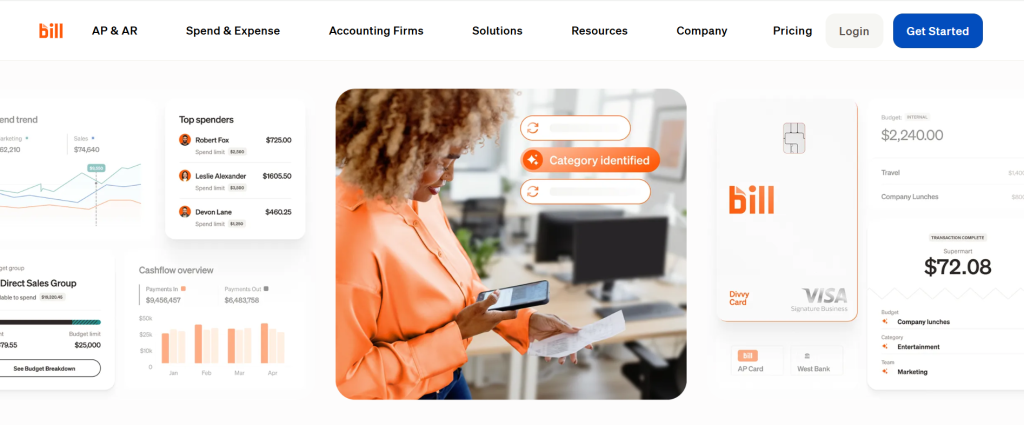
BILL has been around longer than Melio and has built its reputation around businesses that already have some internal structure, multiple people who need to review and approve payments, higher invoice volume, and accounting teams that want detailed audit trails for every transaction.
Where BILL tends to make more sense: Melio vs BILL
- Multi-step approval workflows. Once you have a manager, accountant, or business partner who needs to sign off before money goes out, BILL’s approval chains become genuinely useful.
- Deeper integrations for larger accounting setups, including more robust NetSuite support for businesses running on enterprise accounting software.
- International payments to a wide range of countries are useful if you’re working with overseas suppliers or contractors regularly.
- More built-out reporting, letting you track spend by department, project, or cost center, features that matter once you’re managing more than a handful of vendors.
The tradeoff is cost. BILL comes with a subscription fee that starts around $45 per user per month, and that’s before any per-transaction costs. ACH transfers aren’t free on BILL; each one costs $0.59, and checks cost $1.99 each, compared to Melio’s $1.50.
For a business sending its first few payments, that $45/month is a real cost you’re absorbing before you’ve sent a single dollar to a vendor. It’s not that BILL is overpriced for what it offers; it’s that what it offers is largely aimed at problems you may not have yet.
BILL: Pros and Cons
| Pros | Cons |
|---|---|
| Multi-level approval workflows | Monthly subscription starting around $45/user |
| Strong for high invoice volume | No free ACH transfers ($0.59 each) |
| Deep NetSuite integration | Vendors must sign up to receive payments |
| Built-in international payments to many countries | Slower ACH processing (up to 4 business days) |
| Detailed reporting for teams and departments | Higher check fees ($1.99 vs $1.50) |
Melio vs. BILL: The Actual Cost Difference (What It Looks Like in Practice)
Numbers make this easier to picture than feature lists do. Let’s say you’re a small business paying 3 to 5 vendors a month, something like rent, a contractor, a software subscription, and a supplier. Here’s what that looks like on each platform.
Monthly Cost Comparison: 3-5 Vendors
| Cost Item | Melio | BILL |
|---|---|---|
| Subscription fee | $0 | $45+ (per user) |
| ACH transfers (within free allowance) | $0 | $0.59 each |
| Check payments | $1.50 each | $1.99 each |
| Estimated total for 3-5 vendors/month | Close to $0 | $45+ before transaction fees |
| Estimated yearly difference | — | $500+ more than Melio |
If you’re paying vendors mostly through bank transfers, which most software subscriptions, contractors, and many suppliers accept, Melio’s free ACH allowance means your total monthly cost can realistically be $0, unless you specifically need expedited payments or are paying by credit card for cash flow reasons.
On BILL, that same activity starts with a $45/month baseline (per user) before a single transaction fee is added. Over a year, that’s upward of $500 money that, for a business just getting off the ground, could go toward marketing, equipment, or simply staying in the bank a little longer.
This doesn’t mean BILL is a bad deal. It means BILL’s pricing is built around the assumption that you’re already getting enough value from approval workflows, reporting, and team access to justify the cost. If you’re not there yet, you’re paying for headroom you don’t need.
When BILL Actually Becomes the Better Choice
This isn’t a “Melio is always better” article; it’s specifically about the first-time decision. BILL earns its place once your business reaches certain points:
- You’ve hired someone, a bookkeeper, an operations manager, or an accountant, who needs their own login and the ability to review payments before they’re sent.
- You’re processing 50+ bills a month and need automation, batching, and reporting to keep up without it becoming a part-time job.
- You need multi-entity support, managing payments across multiple business locations, subsidiaries, or legal entities from one dashboard.
- Your accounting setup is complex enough that BILL’s deeper NetSuite integration and audit trail features actually save time rather than add overhead.
- You’re regularly paying international vendors and need a platform built around that from the ground up.
If any of these describe where your business is heading, even if not quite there yet, it’s worth keeping BILL on your radar. Many businesses do eventually migrate from a simpler tool like Melio to BILL as their payment volume and approval complexity grow. There’s no penalty for starting simple and moving up later.
How to Get Started (Either Way) Melio vs BILL
Whichever platform you choose, the setup process for a first-time user looks roughly the same:
- List your recurring vendors. Write down everyone you pay regularly: rent, software subscriptions, contractors, suppliers, and utilities. This gives you a realistic picture of your monthly volume before you commit to a plan.
- Check if your vendors accept ACH transfers. Most do, and this is where the free-tier savings come from. If a vendor only accepts checks or wires, factor that into your cost estimate.
- Connect your accounting software, if you use one. Both Melio and BILL sync directly with QuickBooks and Xero, so your payment history flows into your books automatically, with no manual data entry needed at tax time.
- Start with the free tier of whichever tool you choose. You can always upgrade once your invoice volume, team size, or approval needs actually demand it. There’s rarely a good reason to pre-pay for capacity you’re not using yet.
- Send a small first payment to test the process. A software subscription or a small recurring bill is a low-stakes way to confirm everything works as expected before you route larger payments through the platform.
Bottom Line: Melio vs BILL for First-Time Vendor Payments
If you’re paying vendors for the first time and don’t yet know what your monthly invoice volume will look like, Melio removes the financial pressure of a subscription while you figure that out.
It costs nothing to start, includes free ACH transfers, and doesn’t put any extra burden on the vendors you’re paying.
BILL is a genuinely strong platform, but its per-user pricing is built for businesses that already have a team, a process, and enough volume to justify the cost. Unless you’re stepping into a business that already has those things in place, you don’t need to start there.
The good news is that this isn’t a permanent decision. Start with the option that matches where your business is today, and let your needs, not a sales page, tell you when it’s time to upgrade.
Frequently Asked Questions: Melio vs BILL
Is Melio really free? Yes, there’s no monthly subscription fee for Melio’s core plan. You only pay for specific extras like expedited payments or paying by credit card when a vendor doesn’t normally accept cards.
Does BILL have a free plan? No. BILL’s plans start at roughly $45/month per user, with no free ACH transfers included.
Which tool integrates better with QuickBooks? Both Melio and BILL integrate directly with QuickBooks and Xero, so this generally isn’t a deciding factor for first-time users — both will keep your books in sync.
Can I switch from Melio to BILL later if my business grows? Yes. Many businesses start with a simpler tool like Melio while small and move to BILL once they have a team, higher invoice volume, or need multi-level approval workflows. No lock-in prevents this.
Do I need accounting software to use either platform? No. Both Melio and BILL can be used on their own without QuickBooks or Xero; the integration is a convenience for businesses that already use accounting software, not a requirement.
Pricing and features reflect publicly available information as of 2026. Always verify current pricing directly on each provider’s website before making a decision, as terms can change.
Drop your honest comment about this Melio vs BILL REVIEW
Explore More on FutureToolLab
- Streak CRM Review 2026: Ultimate Honest Gmail CRM Review
- Best Free AI Tools for Small Business Owners in 2026
- 10 Best Business Tools in 2026 That Actually Save You Time (And Money)
👉 Explore more in-depth software reviews, AI tool guides, and the best deals at FutureToolLab.com
Share to your social media



3 thoughts on “Melio vs BILL: Which Is Best for First-Time Vendor Payments? (2026)”