

You have been thinking about starting a blog for a while now.
Maybe you saw someone else doing it and making real money from it.
Maybe you have knowledge or a skill worth sharing with the world.
Maybe you are tired of working for someone else, and you want to build something that is truly yours.
Whatever brought you here, one thing is certain.
Starting a profitable blog in 2026 is still one of the most realistic ways to build income online.
People do it every single day, from scratch, with no technical experience, no existing audience, and no big budget to begin with.
But most blogging guides make it sound either too easy or too complicated. This one does neither.
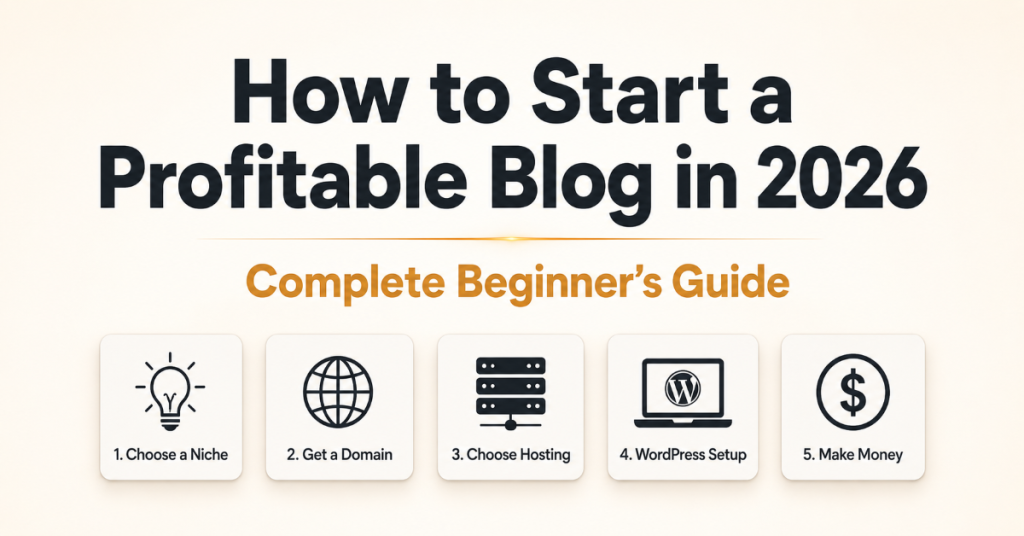
This is a detailed, step-by-step guide on how to start a profitable blog from the very beginning.
Every step includes exactly where to go, what to click, and what to expect. Written the way I wish someone had explained it to me when I was starting.
Let’s go.
Disclosure: This post includes partner links. We may earn a commission if you buy.
Before We Start: What Does It Really Take to Start a Profitable Blog?
A lot of people start blogs. Very few of them make money from them.
The difference is not talent. It is not luck. The difference is strategy.
A profitable blog is built around three things from the very beginning: the right topic, the right audience, and the right way to earn from it.
If you pick a topic nobody cares about, you will write to an empty room.
If you pick a topic everyone covers, but you have nothing unique to say, you will get buried under thousands of other blogs.
And if you never think about how you will earn money, you will be writing for months with nothing to show for it.
This guide covers all three from step one. Follow every step, and you will know exactly how to start a profitable blog that is built to last.
Let’s go deep into how to start a profitable blog
Step 1: Pick the Right Blog Topic (Your Niche)
This is the most important decision you will make as a blogger. Everything else builds on top of it.
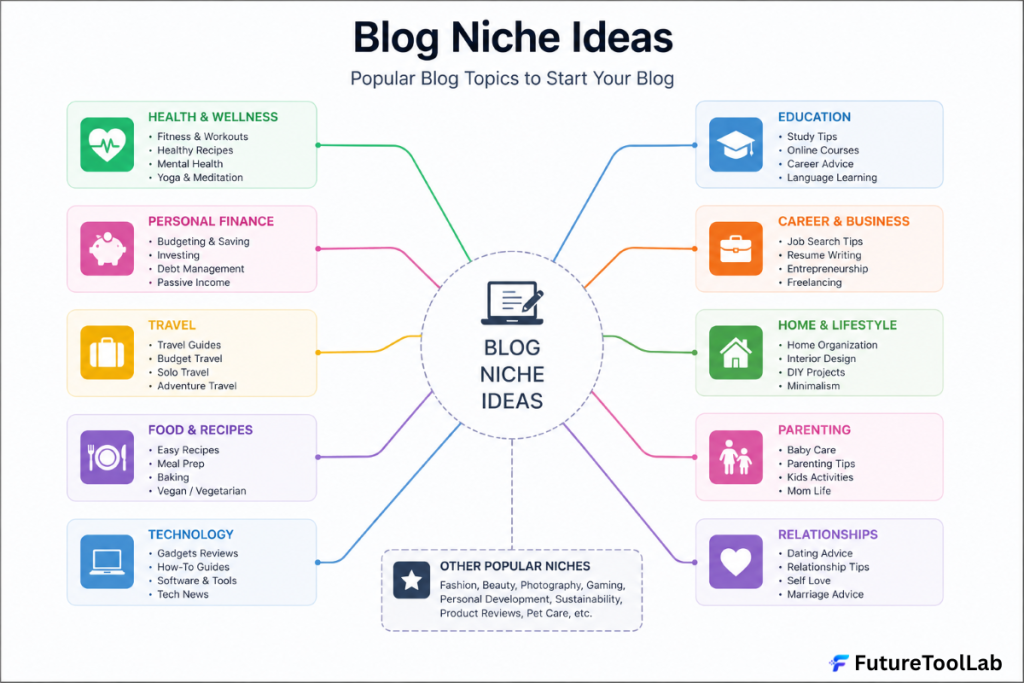
Your blog niche is the specific topic your blog focuses on. It could be personal finance, digital tools, fitness, parenting, cooking, travel, technology, or anything else.
The key is that it meets two conditions.
First, it has to be a topic people are actively searching for.
If nobody is looking for your topic online, nobody will find your blog, no matter how well you write.
Second, it has to be something you can write about consistently over time. Blogging is a long game.
If you choose a topic purely because it seems profitable, but you find it boring, you will quit before you see any results.
Here are three questions that help you find your ideal niche:
What do people come to you for advice about in your daily life?
What topics do you find yourself reading about in your free time without anyone telling you to?
What problem have you personally solved that other people are probably still struggling with right now?
A good niche sits at the intersection of something you know well and something other people want to learn.
You do not have to be the world’s greatest expert. You have to be a few genuine steps ahead of the person you are writing for.
Some of the most profitable blog niches right now include personal finance, health and fitness, technology and AI tools, home improvement, parenting, food and recipes, travel, and online business.
But profitable niches exist in almost every area of life. The goal is to find one where there is real search demand and where you can speak from genuine experience.
Do not overthink this step. Choose something you would happily talk about every week, confirm that people are searching for it, and move forward.
Step 2: Choose Your Blogging Platform
Now that you have your niche, you need a platform to publish your content on.
There are many options out there: Wix, Squarespace, Blogger, Medium, and Substack all exist, and some of them are fine for casual writing.
But if you are serious about building a profitable blog that you own and control, there is really only one platform worth your time.
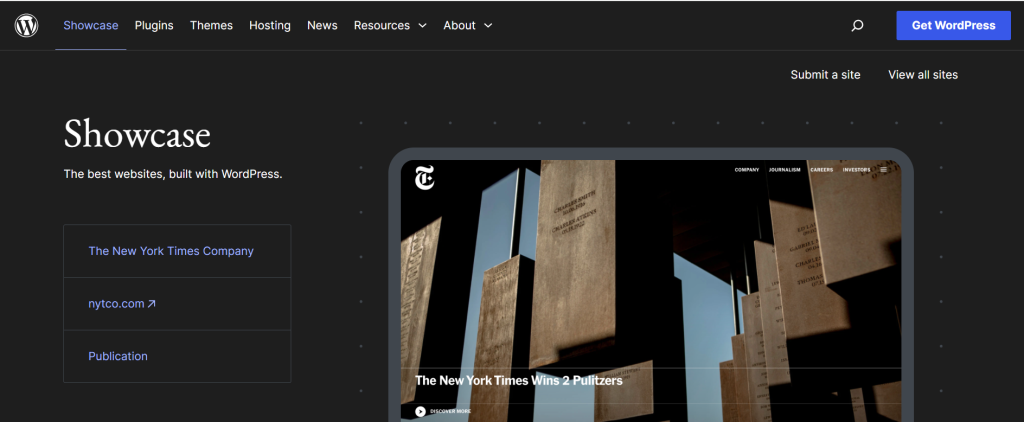
WordPress is the platform that powers over 43% of all websites on the entire internet.
That number is not a coincidence.
WordPress is free to use, endlessly customizable, supported by thousands of developers around the world, and trusted by everyone from solo bloggers to major media companies.
It is what most serious bloggers earning a consistent income use. And for very good reason.
One important thing to know: there are two versions of WordPress.
WordPress.com is the hosted version. It is simpler to start, but it comes with significant limitations on customization, monetization, and what plugins you can install.
The free plan even puts WordPress branding on your blog.
WordPress.org is the self-hosted version. This is the one you want. It gives you complete control over your blog, your content, and how you earn money from it.
You host it yourself using a web hosting service, which brings us to the next step.
Go to WordPress.org to learn more about it, but you will install it through your hosting provider in the next step, not directly from the website.
Step 3: Get Web Hosting
Think of web hosting as the land your blog lives on.
WordPress is the house you build on that land. Without hosting, your blog does not exist on the internet for anyone to find.
This is the one thing in this guide you do need to pay for. But it does not have to be expensive.
A basic hosting plan for a new blog typically costs between $3 and $10 per month, depending on which provider you choose and whether you pay monthly or annually. Annual plans are almost always cheaper.
Here is what to look for in a hosting provider:
Good uptime, your blog should be online and accessible close to 100% of the time. If your host goes down frequently, you lose readers, and Google stops trusting your site.
Fast loading speed – slow websites lose visitors before they even read a word. Google also ranks faster sites higher in search results.
One-click WordPress installation – you want to get WordPress set up in minutes, not hours.
24/7 customer support – things go wrong sometimes, especially when you are learning. You want help available when you need it.
Three hosting providers that consistently work well for beginner bloggers:
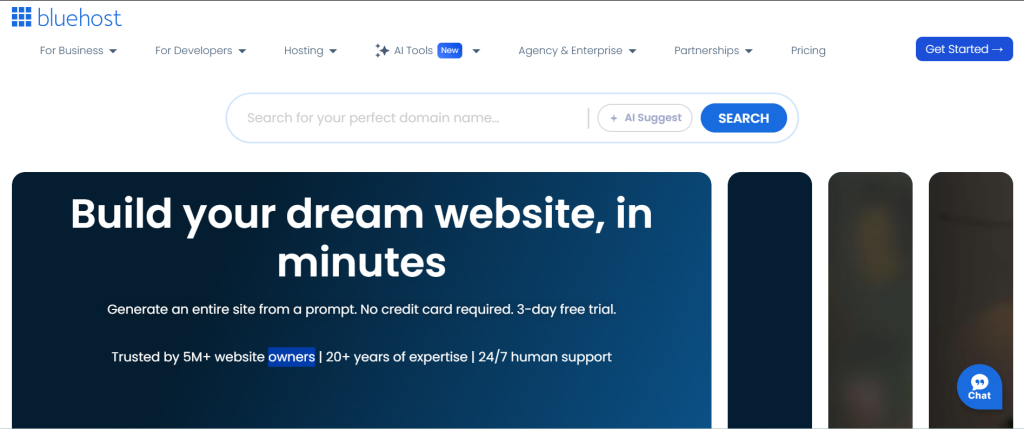
Bluehost (bluehost.com) – one of the most popular choices for beginners. They are officially recommended by WordPress.org, offer one-click WordPress installation, and include a free domain name in their first-year plans.
Their basic plan starts at around $2.95 per month when billed annually.
Hostinger (hostinger.com) – known for being one of the most affordable options without sacrificing quality.
Their starter plan is often under $3 per month and includes free SSL and fast servers.
SiteGround (siteground.com) – slightly more expensive but well known for excellent customer support and fast loading speeds.
A good choice if you want a more premium experience from the start.
For most beginners, Bluehost or Hostinger is the best starting point. Both are reliable, beginner-friendly, and affordable.
When you sign up for hosting, most providers will walk you through connecting a domain name at the same time. Which brings us to the next step.
Step 4: Choose Your Domain Name
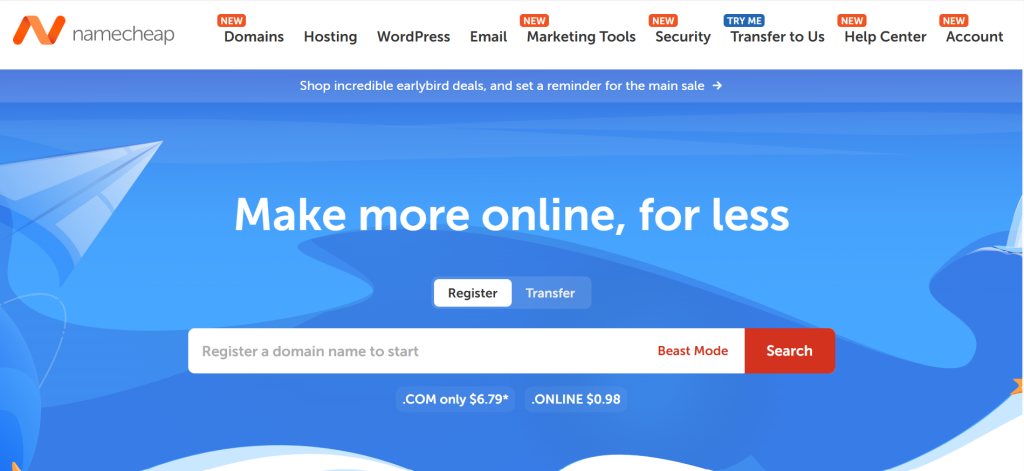
Your domain name is your blog’s address on the internet. For example, futuretoollab.com is our domain name. It tells people exactly where to find us.
Choosing a domain name does not have to take long. But a few simple rules make a big difference.
Keep it short. The shorter the name, the easier it is to type, remember, and share. Aim for two or three words at most.
Keep it easy to spell. If people have to guess whether it is “blog” or “blogg” or something else, they will end up somewhere else entirely.
Make it relevant to your niche. Someone who lands on FutureToolLab.com immediately understands it is about tools and technology. Your domain should give people an instant sense of what your blog is about.
Avoid numbers and hyphens. They look unprofessional and are confused when people share your address verbally.
Use a .com extension if at all possible. It is still the most trusted and widely recognized domain extension in the world.
Once you have an idea, check if it is available using the domain search tool built into your hosting provider’s signup process.
If you want to check availability separately before committing, Namecheap has a free domain search tool that shows you instantly whether a name is taken and what it costs to register.
Most hosting providers include a free domain name for your first year as part of their hosting package.
If yours does, claim it during the signup process and save yourself the separate registration cost.
Do not spend more than 30 minutes choosing a name. A mediocre name with great content will always outperform a perfect name with mediocre content.
Step 5: Set Up WordPress
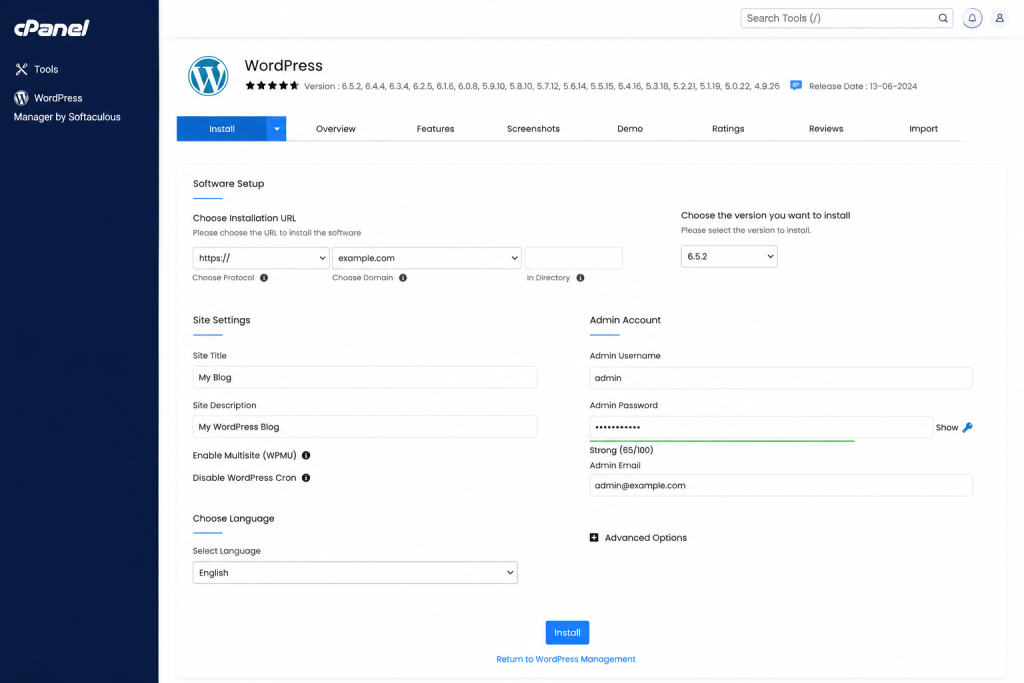
This is the step that makes most beginners nervous. It does not need to.
Once you have your hosting account set up, log in to your hosting dashboard. Most modern hosting providers, including Bluehost and Hostinger, have a one-click WordPress installer built right into the dashboard.
Look for a section labeled “WordPress,” “Website,” or “Install WordPress.”
Click it, choose your domain name, set a username and password for your WordPress account, and hit install. Within a few minutes – sometimes seconds – WordPress is live on your domain.
Once the installation is complete, you will see a confirmation screen with your login link.
Your WordPress admin area is accessed at yourdomain.com/wp-admin.
Bookmark that URL. It is how you log in to manage your blog from now on.
When you log in for the first time, you will see the WordPress Dashboard.
This is your blog’s control center.
Everything happens from here – writing posts, uploading images, installing plugins, customizing your design, and managing settings.
Here are the first two settings to update right away:
Go to Settings and then General.
Check that your site title matches your blog name. Make sure your website address starts with HTTPS and not HTTP. If it starts with HTTP, contact your hosting provider’s support chat, and they will fix your SSL certificate in a few minutes.
Go to Settings and then Permalinks.
You will see several options for how your post URLs are structured. Select “Post name.” This makes your URLs clean and readable, like yoursite.com/how-to-start-a-blog, which is better for both readers and search engines. Click Save Changes.
These two settings take under five minutes but make a real difference to how your blog works and how Google sees it.
Step 6: Choose and Install a Theme
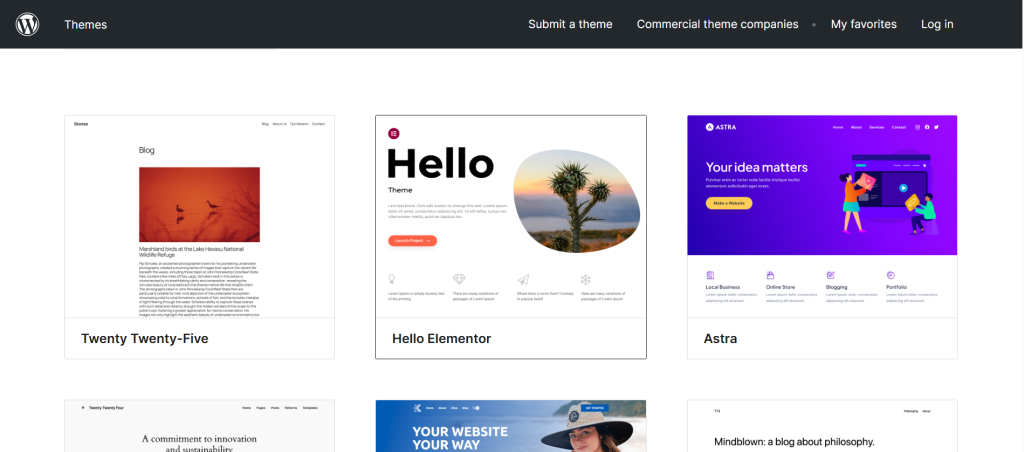
Your theme controls how your blog looks.
The layout, the fonts, the colors, the spacing, the header, the footer – all of it comes from your theme.
To browse and install themes, go to Appearance in your WordPress dashboard and click Themes, then Add New.
You will see thousands of free themes to choose from.
The temptation here is to pick the most visually impressive theme you can find. Resist that.
What matters most in a theme is not how it looks. It is how fast it loads and how well it works on mobile screens.
Over 60% of web traffic today comes from phones. If your blog loads slowly or looks broken on mobile, you are losing more than half your potential readers before they read a single word.
Two themes that are consistently recommended for new bloggers in 2026:
Kadence – free, extremely lightweight, loads fast on every device, and has a drag-and-drop customizer built in. You can make it look professional without touching a line of code. Find it by searching “Kadence” in the theme search. Click Install and then Activate.
Astra – another free, lightweight option with similar features. Also highly rated and widely used by bloggers and businesses alike.
Once your theme is activated, go to Appearance and then Customize. This opens a live preview where you can adjust your colors, upload your logo, set your fonts, and arrange your layout in real time. You see every change on screen before you publish it.
Keep your design clean and simple. A basic, fast-loading theme with clear typography will always outperform a heavy, complicated one filled with animations and decorative elements that slow everything down.
Step 7: Install These Essential Plugins
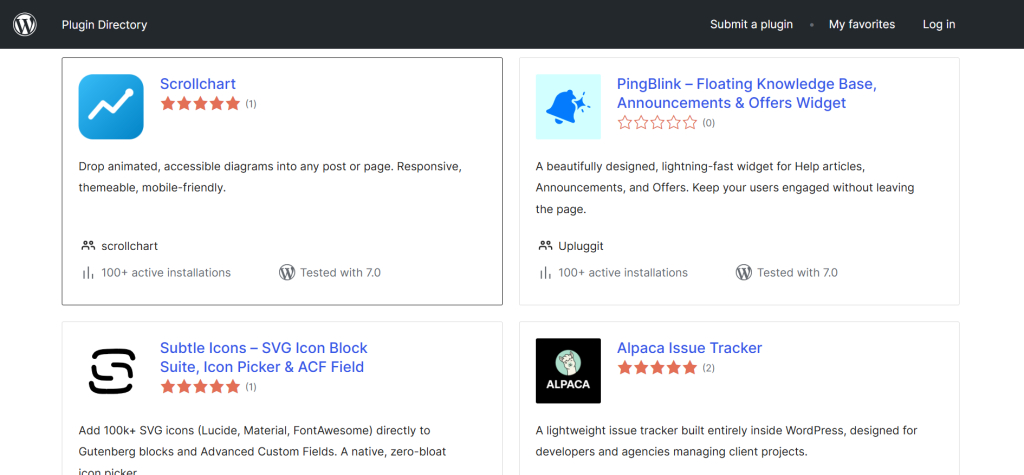
Plugins add extra features to your WordPress blog without any coding. Think of them as apps you install on your phone – they extend what your blog can do.
To install a plugin, go to Plugins in your dashboard and click Add New. Search for the plugin by name, click Install Now, and then click Activate. It is the same process for every plugin.
You do not need dozens of plugins. Too many slow your blog down. Here are the essential ones that every profitable blog needs:
RankMath SEO – this is the most important plugin you will install. It helps you optimize every post so Google can find and rank your content.
Go to rankmath.com to learn how it works, then search “RankMath” in your plugins page and install it. When it activates, it runs a setup wizard that takes about ten minutes.
Follow it carefully – it makes a real difference to your SEO from day one.
Wordfence Security – protects your blog from hackers, malware, and malicious attacks. Search “Wordfence” in the plugins page and install it. The free version is more than enough when you are starting.
UpdraftPlus – automatically backs up your entire blog, including all your posts, images, and settings.
If something ever goes wrong, you can restore everything with one click. Search “UpdraftPlus” and install it, then go to its settings and schedule automatic weekly backups.
WP Super Cache or LiteSpeed Cache – speeds up your blog by storing saved versions of your pages so they load faster for visitors.
A faster blog ranks higher on Google and keeps readers from leaving before the page finishes loading. Search for either plugin, install, and activate. They work automatically once turned on.
These four plugins cover security, SEO, backups, and speed – the four foundations every blog needs from the very beginning.
Step 8: Write Your First Blog Posts
This is where most beginners freeze. They have everything set up, they are staring at a blank post editor, and suddenly, writing feels impossible.
To create a new post, click Posts in your dashboard and then Add New.
This opens the WordPress block editor, also called Gutenberg. It works similarly to Google Docs – you click, type, and format as you go.
Here is something that helps: your first posts do not have to be perfect. They just have to be genuinely helpful.
Think about the person who is one step behind where you are right now.
What questions are they asking?
What mistakes are they about to make that you could save them from?
What took you a long time to figure out that you could explain clearly in fifteen minutes?
Write for that person.
A few things that make blog posts work well in 2026:
Focus on one specific topic per post and cover it thoroughly.
A post that fully answers one question performs far better than a post that half-answers five questions.
Use short paragraphs.
Two or three sentences are enough. Long blocks of text make people leave. White space on the page makes content feel easier to read.
Use headings to break up your content.
In WordPress, headings are added using the Heading block. Readers scan before they read – headings tell them what each section covers and whether to keep reading.
Write as you talk.
The most successful bloggers write the way they would explain something to a friend, naturally, directly, without pretending to be something they are not.
Add images to every post.
Posts with images get more engagement and look more professional. You can create free blog images and graphics using Canva. It requires no design skills and has thousands of templates made specifically for bloggers.
For your first three posts, aim for at least 1,500 words each. Longer, more detailed posts tend to rank better on Google and provide more value to readers.
Before you publish each post, fill in the SEO title, meta description, and focus keyword in the RankMath section at the bottom of your post editor. This is how Google knows what your post is about and how to rank it.
Step 9: Learn the Basics of SEO
SEO stands for Search Engine Optimization. It is the practice of making your blog posts easy for Google to find, understand, and rank in search results.
You do not need to become an SEO expert to start a profitable blog. But you do need to understand the basics, because traffic from Google is completely free, and it grows over time without you having to work for every single visitor.
Here is what matters most for beginner bloggers:
Keywords are the words and phrases people type into Google. Every blog post you write should be built around a specific keyword that real people are actually searching for.
Before writing a post, use a free tool like Ubersuggest or Google Keyword Planner to check how many people search for your topic each month and how competitive that keyword is.
Your post title and headings should naturally include your target keyword. If your post is about how to make coffee at home, your title should say something like “How to Make the Perfect Coffee at Home,” not something vague like “Coffee Tips You Should Know.”
Your meta description is the short text that appears under your post title in Google search results. Write it to accurately describe what your post covers and include your focus keyword naturally. RankMath shows you a live preview of how it looks in Google.
Internal links are links from one post on your blog to another post on your blog. Add these naturally whenever one of your posts mentions something that another post covers in more detail. This helps Google understand how your content is connected and keeps readers on your site longer.
Page speed matters to Google. Keep your images compressed before uploading them. Use a free tool like TinyPNG to reduce image file sizes without losing quality.
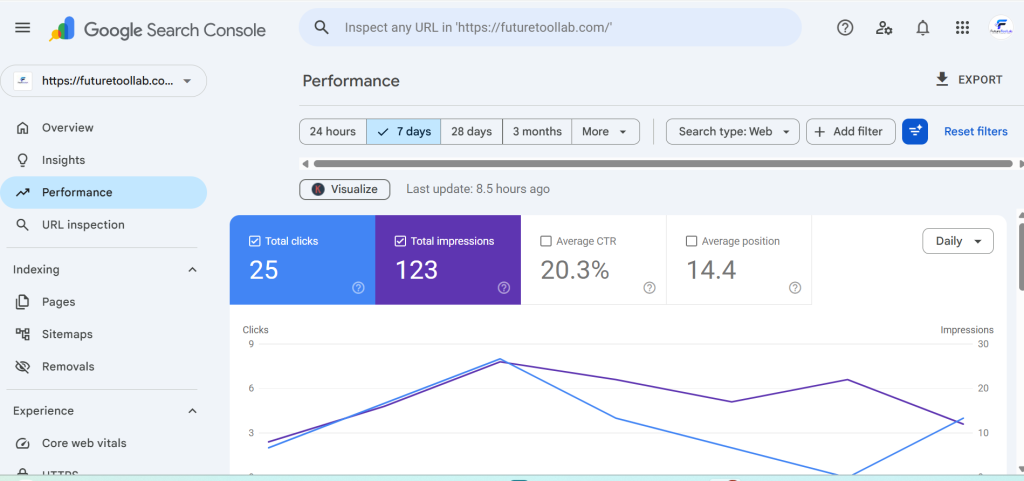
Once your blog is live and you have published at least a few posts, go to Google Search Console and submit your site. This free tool from Google lets you monitor how your blog appears in search results, see which posts are getting clicks, and identify any technical issues Google has found on your site.
Set up Google Analytics at the same time. This shows you how many people are visiting your blog, where they are coming from, which posts they are reading, and how long they are staying. Understanding your traffic is essential for growing it.
The most important thing to know about SEO is that it takes time. Do not expect results in the first week or even the first month. But if you apply these basics consistently with every post you publish, Google traffic will start to come in, and it will keep growing month after month.
Step 10: Promote Your Blog and Build Your Audience
Writing great content is only half the job. The other half is making sure real people actually see it.
When you are just starting, you cannot rely on Google search alone. It takes time for new blogs to build authority and rank. In the meantime, you need to actively bring people to your content through other channels.
Pinterest is one of the best free traffic sources available to new bloggers.
Unlike Instagram or Twitter, where content disappears within hours, a Pinterest pin can drive visitors to your blog for months or even years after you first post it. Go to Pinterest.com and create a free Pinterest business account. Create a pin for every blog post you publish, linking back to your site.
Social media is worth using, too, but focus on one or two platforms where your target audience spends time. Trying to be active on six platforms at once is a fast way to burn out before your blog gets any traction.
Building an email list is the most important long-term investment you can make as a blogger.
Social media followers can disappear overnight if an algorithm changes. An email list is yours. Nobody can take it away from you.
Start building your list from your very first week of publishing. Add a simple sign-up form to your blog and offer readers something useful in exchange for their email – a free checklist, a resource guide, or simply a promise to send them your best new posts each week.
For email marketing, SendFox is the most affordable option for new bloggers. Instead of paying Mailchimp or ConvertKit every single month as your list grows, SendFox is available as a one-time lifetime deal on AppSumo.
You get campaigns, automations, landing pages, and RSS-to-email (which automatically emails your subscribers every time you publish a new post) – all for a single payment with no recurring fees.
Step 11: Start Making Money From Your Blog
This is the part everyone wants to talk about. How do you actually turn a blog into real income?
There are several ways, and the most successful bloggers use more than one at the same time.
Affiliate Marketing
This is the most beginner-friendly way to start earning from a blog, and the one most profitable bloggers start with.
You recommend products, tools, or services to your readers.
When someone buys through your unique link, you earn a commission – typically between 5% and 50%, depending on the product.
Affiliate marketing works best when you genuinely use what you are recommending.
Readers can always tell the difference between someone sharing something they truly believe in and someone just chasing a commission. Trust takes time to build and seconds to lose.
Good places to find affiliate programs as a new blogger:
Amazon Associates – the most widely used affiliate program in the world. You can earn commissions on any product on Amazon. Commission rates are low (1-10%), but Amazon’s conversion rate is very high because people already trust the platform.
AppSumo Affiliate Program – if your blog is in the tech, tools, or business space, AppSumo’s affiliate program pays up to 100% commission on first-time purchases. This is one of the highest-paying affiliate programs available.
Individual company programs – most software tools and online services have their own affiliate programs. Canva, Grammarly, Shopify, and thousands of others pay bloggers to recommend their products.
Display Advertising
Once your blog reaches a consistent level of traffic, you can earn money by displaying ads to your readers. Ad networks pay you based on how many people see or click the ads.
Google AdSense is the easiest to start with – there is no minimum traffic requirement, and approval is straightforward for new blogs.
Once you reach around 10,000 monthly visitors, Mediavine and AdThrive offer significantly higher ad rates and are worth applying to.
Selling Your Own Products or Services
As your blog grows and your audience starts to trust you, you can create and sell digital products directly – ebooks, online courses, templates, printables, and guides.
You can also offer services based on your expertise – consulting, coaching, freelance writing, or done-for-you work for clients who discover you through your blog.
This takes longer to set up but tends to generate the highest earnings per visitor of any monetization method.
Sponsored Content
Brands and companies pay bloggers to create content that features their products or services.
As your audience grows, companies in your niche will start reaching out to you directly. You can also proactively pitch brands once you have consistent traffic and engagement numbers to share.
How Long Before Your Blog Makes Real Money?
This is the honest answer that most blogging guides avoid giving directly.
Most bloggers see their very first income within three to six months of consistent publishing. Getting to meaningful income – enough to replace a part-time job – typically takes one to two years of regular effort.
That is not a reason to wait. It is a reason to start today.
Every month you delay is a month of compounding traffic, compounding content, and compounding audience trust that you cannot get back.
The bloggers making serious money right now started building years ago. The bloggers making serious money in two years are starting right now.
The question is which group you want to be in.
The Tools That Make Profitable Blogging Easier
You do not need expensive tools to start a profitable blog. But the right tools save you time and make your content significantly better from the very beginning.
For capturing ideas faster: Letterly lets you speak your ideas out loud and automatically converts your voice into clean, structured text. Instead of staring at a blank screen trying to start a post, you go for a walk, talk through your thoughts, and Letterly turns them into a ready-to-edit draft. Available as a lifetime deal on AppSumo.
For booking client calls: As your blog grows, readers will want to connect with you directly – for coaching, consulting, or collaboration. TidyCal gives you a professional booking page with calendar sync and payment collection built in. One-time payment, no monthly fees.
For email marketing: SendFox lets you build and grow your email list with campaigns, automations, and landing pages. Unlike Mailchimp or ConvertKit, which charge more as your list grows, SendFox is a single lifetime payment that covers you forever.
For repurposing content: Castmagic turns your voice recordings, podcast episodes, or video content into blog posts, newsletters, and social media content automatically. Record once and get a week of content from it.
Bottom Line: Is It Still Worth Learning How to Start a Profitable Blog in 2026?
Yes. Completely.
Blogging is not dead. It is not even close to dying. The blogs struggling are the ones that started without a clear strategy. The ones succeeding are the ones that treated it like a real business from day one.
You now have everything you need to start that way.
Pick your niche. Set up WordPress. Write consistently and helpfully. Learn the basics of SEO. Promote your content. Monetize from the beginning.
Do those six things, and a profitable blog is not a matter of if. It is a matter of when.
Start today. If you have read this far, you already know how to start a profitable blog. The only thing left to do is begin.
You have the steps. You have the tools. The only thing left is to begin.
Check out the best lifetime deals that make blogging cheaper and easier from day one.
See the Best Blogging Tools →Frequently Asked Questions
How much does it cost to start a profitable blog?
You can start for as little as $3-10 per month for web hosting. A domain name typically costs $10-15 per year. Your total first-year cost is usually between $50-100, which is one of the lowest startup costs of any online business.
Do I need technical skills to start a blog?
No. WordPress and modern hosting providers have made the technical side of blogging completely beginner-friendly. If you can use a word processor, you can run a WordPress blog.
How often should I publish blog posts?
Quality matters far more than quantity. One well-researched, genuinely helpful post per week consistently beats five rushed, shallow posts in both traffic and trust. Pick a schedule you can maintain and stick to it.
What is the best free blogging platform?
WordPress.org with self-hosting is the best choice for any blogger serious about making money. WordPress.com’s free plan exists, but it has too many limitations for a profitable blog. Blogger and Wix are also free, but give you less control over monetization.
Can I start a profitable blog in any niche?
Almost any niche can be monetized with the right approach. Some niches attract higher-paying affiliate programs and advertisers – personal finance, technology, health, and online business are among the most profitable. But a focused, authentic blog on almost any topic area can generate real income over time.
How do I get traffic to a new blog?
Start with Pinterest for quick, free traffic while you build your Google SEO. Publish helpful, keyword-focused content consistently. Build your email list from day one. Share your posts on one or two social media platforms where your audience spends time.
All tool recommendations and pricing reflect publicly available information as of June 2026. Always verify current pricing directly before purchasing.
Your Next Read on FutureToolLab
- Best AppSumo Lifetime Deals: 5 Honest Picks That Are Actually Worth It (2026)
- Letterly Review 2026: I Stopped Typing Forever
- TidyCal vs Calendly: The Honest 2026 Verdict
Explore more in-depth software reviews, AI tool guides, and the best deals at FutureToolLab.com
Share how to start a profitable blog