


The 10 best business tools in 2026 are helping businesses do more with less, saving hours every week, cutting unnecessary costs, and helping teams move faster without increasing workload.
Whether you run a startup, small business, or growing company, the right tools can create a real advantage.
Running a business in 2026 means you are constantly being sold the promise of “work smarter, not harder.” But with hundreds of tools fighting for your attention — and your budget — it is getting harder to know which ones truly deliver.
We did the heavy lifting for you.
This guide covers the 10 best business tools for 2026 that real teams use every day to cut operational drag, collaborate faster, and grow without burning out. Whether you run a solo operation, a startup, or a growing team, there is something here for every stage.
Why These 10 Best Business Tools in 2026 Stand Out
Before we dive in, here is our simple filter. A tool earns its place if it:
- Replaces at least one other tool (fewer apps = less chaos)
- Saves measurable time on repetitive or manual work
- Integrates with your existing stack without headaches
- Scales with you as your business grows
- Has clear, honest pricing — no gotcha fees
With that in mind, let’s get into the list. In this guide, we explore the 10 best business tools in 2026 and explain how each one can help businesses save time and money.
1. Notion — Best All-in-One Workspace
Best for: Teams that want docs, databases, wikis, and project management in one place Pricing: Free plan available | Paid from $10/user/month
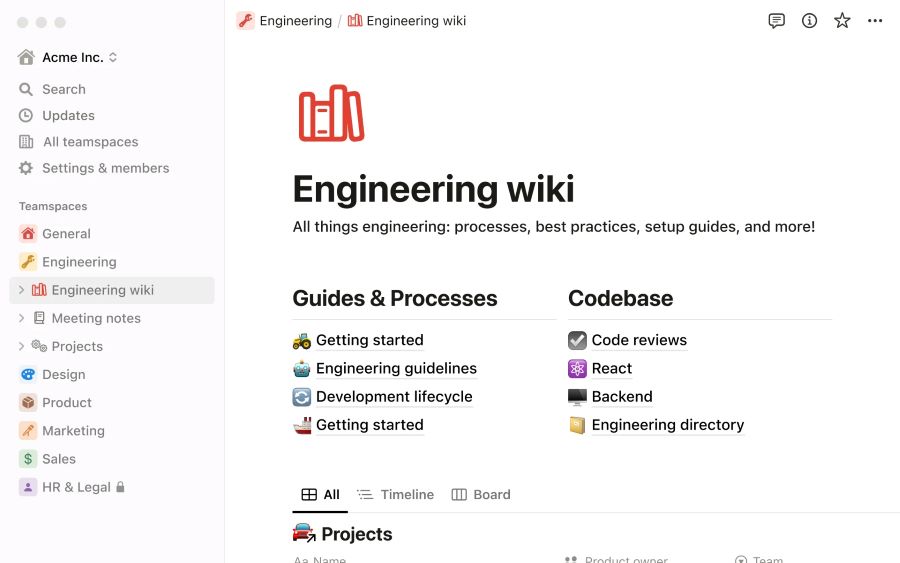
Notion remains the crown jewel of all-in-one workspaces in 2026. It has evolved well beyond just note-taking — you can now run full project pipelines, build internal wikis, manage CRMs, and leverage its built-in AI to draft content, summarize meetings, and auto-fill databases.
What sets Notion apart is how much it replaces. Many teams have ditched separate tools for docs (Google Docs), project tracking (Asana), and knowledge bases (Confluence) — and consolidated everything into Notion.
Pros:
- Extremely flexible — build almost any workflow
- AI features are built in at no extra cost on paid plans
- Great templates library to get started fast
Cons:
- It can feel overwhelming for new users
- Mobile app still lags behind the desktop experience
Bottom Line: If you want one tool to rule your operations, Notion is it.
2. Motion — Best for AI-Powered Scheduling
Best for: Solopreneurs and small teams who want their calendar to think for them Pricing: From $19/month per user
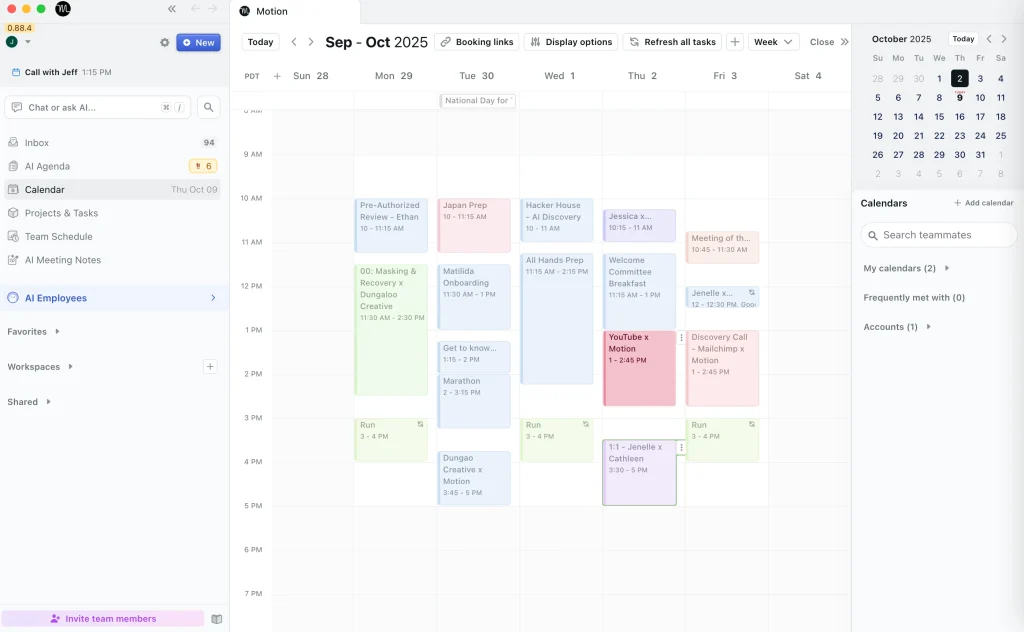
Motion is the tool quietly replacing four apps at once for power users. It combines calendar management, task management, project tracking, and call scheduling — all under one roof — and uses AI to schedule your tasks around your existing meetings and priorities automatically.
Think of it this way: you add a task that needs to be done by Friday, and Motion figures out when in your week it fits. No more manually blocking time.
Pros:
- AI auto-scheduling is genuinely impressive
- Replaces Google Calendar, Asana, TickTick, and scheduling tools
- Great for people who are serious about deep work
Cons:
- Pricing is on the higher end for solo users
- Takes a week or two to “learn” your working style
Bottom Line: If your calendar runs your life, let Motion run your calendar.
3. Slack — Best for Team Communication
Best for: Remote and hybrid teams that need fast, organized communication Pricing: Free plan available | Paid from $7.25/user/month
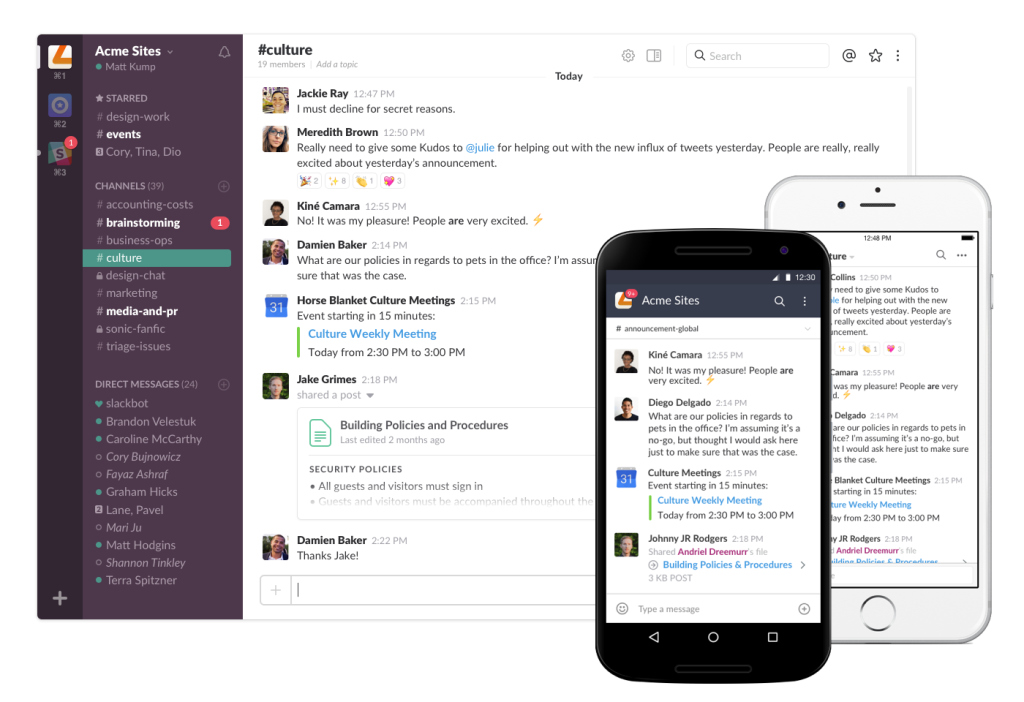
Slack is still the go-to for fast team coordination in 2026. Channels, direct messages, huddles (lightweight voice/video calls), threaded conversations, and deep integrations make it the backbone of how modern teams talk to each other.
What keeps Slack at the top is its integration ecosystem — it connects with virtually every tool on this list, meaning messages and updates flow naturally across your stack.
Pros:
- Industry-standard integrations (Notion, Asana, Google Drive, Zoom, and more)
- Huddles are great for quick syncs without scheduling a full meeting
- Powerful search across your full message history
Cons:
- Can become noisy and distracting if channels aren’t managed well
- The free plan has a 90-day message history limit
Bottom Line: For team communication, there is still nothing faster or more reliable than Slack.

4. Asana — Best for Project & Task Management
Best for: Teams managing multiple projects with clear deadlines and accountability Pricing: Free plan available | Paid from $10.99/user/month
Asana has remained a favorite among project managers for its clean interface and powerful feature set. You can break large projects into tasks, assign owners, set due dates, build timelines, and track everything on kanban boards or list views.
In 2026, Asana has also leaned into AI — offering smart task suggestions, automated status reports, and workflow rules that reduce manual admin work significantly.
Pros:
- Very intuitive for new users
- Strong reporting and progress tracking
- Excellent for client-facing project management
Cons:
- Advanced features locked behind higher-tier plans
- Can feel rigid for non-linear workflows
Bottom Line: Asana is the benchmark for project management — reliable, polished, and built for accountability. We reviewed it among the 10 best business tools in 2026 for a reason.
5. Google Workspace — Best for Document Collaboration
Best for: Teams of all sizes that need real-time document collaboration Pricing: From $6/user/month (Business Starter)
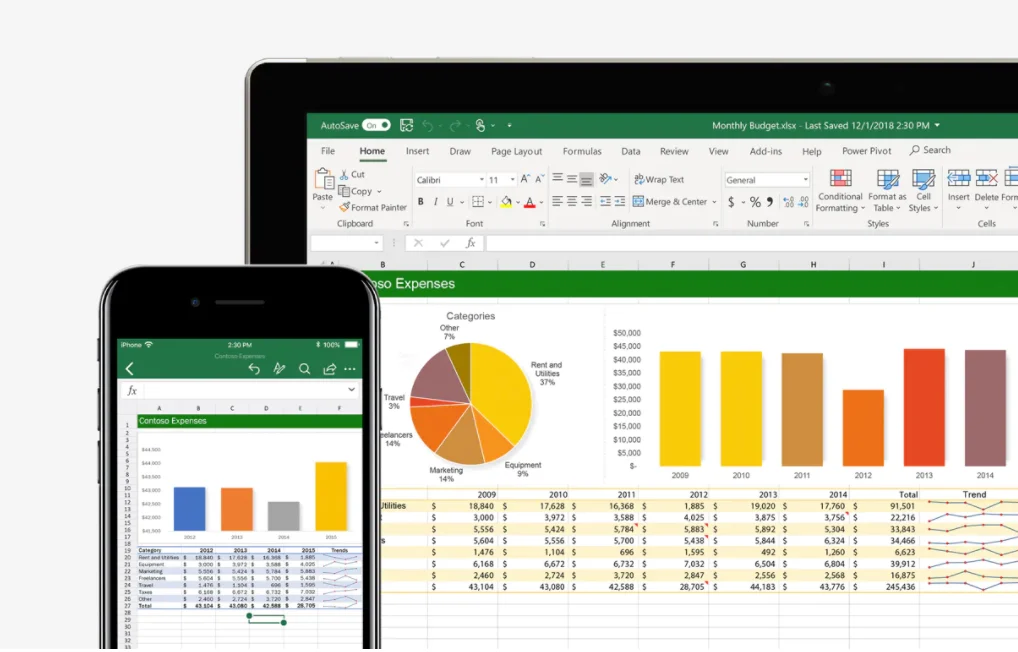
Google Workspace (Gmail, Docs, Sheets, Slides, Drive, Meet, Calendar) is the world’s most widely used business suite — and for good reason. It is reliable, collaborative, and deeply familiar to most professionals.
For small businesses especially, the combination of professional Gmail, unlimited cloud storage, and real-time document collaboration is hard to beat at this price point.
Pros:
- Real-time collaboration with zero friction
- Works on any device, anywhere
- Affordable entry price for small teams
Cons:
- Docs and Sheets still fall short of Microsoft Office for complex formatting
- Privacy considerations for data-sensitive industries
Bottom Line: The workhorse of business productivity. If your team isn’t on Google Workspace, you are likely paying more for less.
The 10 best business tools in 2026 are not necessarily the most expensive—they are the ones that improve efficiency and reduce manual work.
6. Zoom — Best for Video Conferencing
Best for: Client calls, team meetings, webinars, and presentations Pricing: Free plan available | Paid from $13.32/month/user
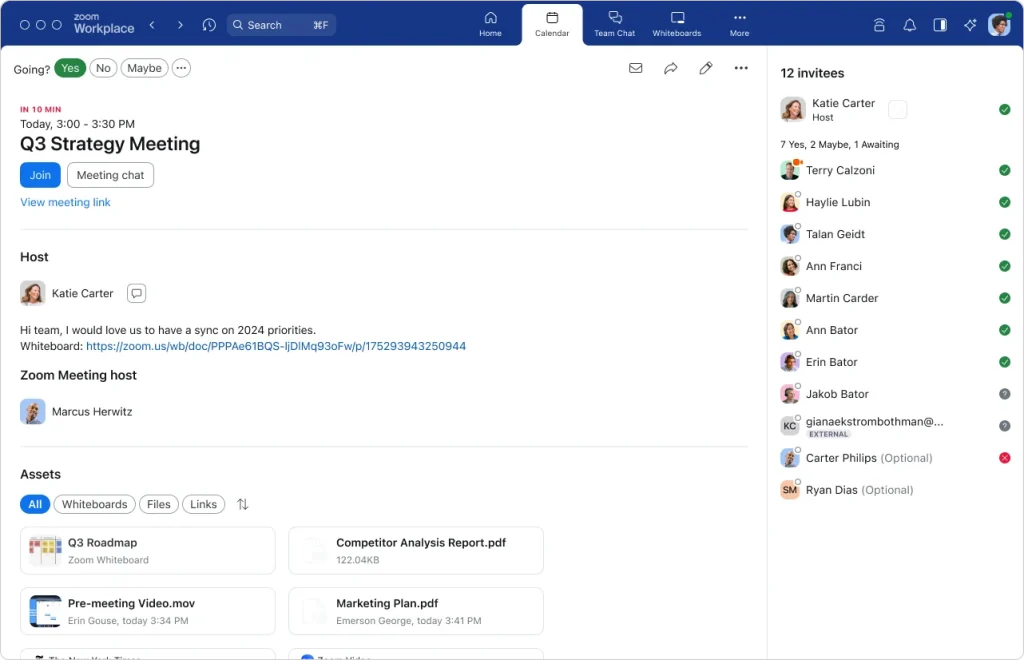
Zoom remains the gold standard for video conferencing in 2026. Its reliability, features (breakout rooms, screen sharing, virtual backgrounds, recording, transcripts), and near-universal adoption make it the safe choice for any business.
New in 2026: Zoom’s AI Companion now summarizes calls, creates action items, and drafts follow-up emails automatically — saving real time after every meeting.
Pros:
- Rock-solid reliability across poor internet connections
- AI-powered meeting summaries and action items
- Ideal for client presentations and webinars
Cons:
- Paid plans are needed for meetings longer than 40 minutes on the free tier
- Some features overlap with Google Meet and Microsoft Teams
Bottom Line: If you meet with clients or run team calls regularly, Zoom is still the most professional choice.
7. Teamwork.com — Best for Client Services & Agencies
Best for: Agencies, consultancies, and professional service teams Pricing: From $10.99/user/month
Teamwork.com is built specifically for businesses that deliver work for clients — agencies, consultancies, and freelancers. Where general project tools stop at task management, Teamwork adds budget tracking, time logging, profitability reporting, and client portals.
According to Teamwork’s own data, customers see an average improvement of 21.8% in billable utilization after adopting the platform — a meaningful number for any service business.
Pros:
- Built-in time tracking and billing features
- Client portals for transparent project communication
- Strong profitability and capacity reporting
Cons:
- Steeper learning curve than general project tools
- Overkill for teams that don’t bill by time or project
Bottom Line: If you run an agency or consulting business, Teamwork is purpose-built for the way you work. Never sleep on these 10 best business tools in 2026… Start now
Choosing among the 10 best business tools in 2026 depends on your goals, team size, and workflow.
8. nTask — Best for Small Business Project Tracking
Best for: Small and medium businesses needing affordable project + risk management Pricing: Free plan available | Paid from $3/user/month
nTask punches well above its weight for the price. It covers project tracking, task management, time sheets, risk management, and issue tracking — all in a clean, accessible interface designed for teams that do not need enterprise complexity.
Its analytics and reporting tools are particularly strong, giving small business owners clear visibility into where projects stand and where bottlenecks are forming.
Pros:
- One of the most affordable full-featured project tools available
- Strong risk and issue tracking built in
- Great analytics for small teams
Cons:
- Smaller integration library than competitors like Asana
- UI feels less polished than premium options
Bottom Line: For SMBs that want serious project tracking without a serious price tag, nTask delivers. I will personally recommend all 10 best business tools in 2026 to someone serious about getting.
9. Figma — Best for Design Collaboration
Best for: Design teams, product teams, and anyone building visual products Pricing: Free plan available | Paid from $12/editor/month
Figma is the undisputed leader for collaborative design and prototyping. If your business involves building products, websites, apps, or any kind of visual content, Figma is where your design team should live.
In 2026, Figma expanded its offerings with FigJam (whiteboarding and brainstorming) and stronger developer handoff tools, making it a full design-to-development pipeline solution.
Pros:
- Real-time multiplayer design — multiple people in one file simultaneously
- Prototyping, component libraries, and design systems built in
- Seamless developer handoff with code inspection
Cons:
- Requires design knowledge to get full value
- Can be slow on large, complex files
Bottom Line: For any business building a digital product, Figma is non-negotiable
The 10 best business tools in 2026 are helping businesses simplify operations and improve productivity without increasing costs.
10. Gemini for Google Workspace — Best AI Business Assistant
Best for: Businesses already using Google Workspace who want AI built into their daily tools. Pricing: From $19.99/month (add-on to Google Workspace)
Google’s Gemini AI is now deeply embedded across the entire Google Workspace suite — Gmail, Docs, Sheets, Slides, and Meet. It suggests email replies, helps draft documents, generates data insights in Sheets, and creates presentations from scratch.
What makes Gemini stand out in a crowded AI field is this deep integration. Rather than switching to a separate AI tool, Gemini works inside the tools your team is already using every day.
Pros:
- Integrated directly into Gmail, Docs, Sheets, and Slides
- Excellent image generation and coding capabilities
- Reduces context-switching — AI lives where you already work
Cons:
- Requires a paid add-on on top of a Google Workspace subscription
- Best value only if your team is already a Google Workspace shop
Bottom Line: If your business runs on Google Workspace, Gemini is the AI upgrade that makes the entire suite smarter.
Quick Comparison Table
| Tool | Best For | Starting Price | Free Plan |
|---|---|---|---|
| Notion | All-in-one workspace | $10/user/mo | ✅ Yes |
| Motion | AI scheduling | $19/user/mo | ❌ No |
| Slack | Team communication | $7.25/user/mo | ✅ Yes |
| Asana | Project management | $10.99/user/mo | ✅ Yes |
| Google Workspace | Document collaboration | $6/user/mo | ❌ No |
| Zoom | Video conferencing | $13.32/user/mo | ✅ Yes |
| Teamwork.com | Agencies & client work | $10.99/user/mo | ❌ No |
| nTask | SMB project tracking | $3/user/mo | ✅ Yes |
| Figma | Design collaboration | $12/editor/mo | ✅ Yes |
| Gemini | AI business assistant | $19.99/mo add-on | ❌ No |
Investing in the 10 best business tools in 2026 can save time, improve collaboration, and support long-term growth.
How to Build Your Business Tool Stack
Here is a simple framework for choosing what you actually need:
- Start with communication — Slack or Google Workspace gives you a foundation.
- Add project management — Notion, Asana, or nTask, depending on your complexity.
- Layer in scheduling — Motion if you want AI to handle your calendar.
- Add video conferencing — Zoom for client work, Google Meet if you’re all-in on Google.
- Add AI last — Gemini or built-in AI features in the tools above, rather than standalone AI apps.
The biggest mistake businesses make is collecting too many tools. Aim for 5 or fewer core platforms that integrate well with each other. The goal is a stack that reduces friction — not one that creates it.
Final Thoughts
The 10 best business tools in 2026 are not the ones with the most features. It is the one your team actually uses consistently, and that makes measurable work easier.
In 2026, the smartest stacks are leaner, more AI-assisted, and built around tools that consolidate multiple functions rather than adding more single-purpose apps.
Start with one tool from this list. Get your team using it well. Then build from there.
Found this helpful? Bookmark FutureToolLab.com for daily coverage of the best AI tools, software deals, and step-by-step guides for modern businesses.
Whether you run a startup or a growing company, the 10 best business tools in 2026 can create long-term advantages.
Tags: Business Tools, Productivity, Project Management, Team Collaboration, AI Tools, Software 2026, Small Business, Remote Work, 10 best business tools in 2026
Related Articles:
- Best AI Tools for Small Businesses in 2026
- Top Software Deals This Week — Save Up to 70%
- Best AI Productivity Tools in 2026: 9 Tools Worth Using
- The 10 best business tools in 2026/2027
One thought on “10 Best Business Tools in 2026 That Actually Save You Time (And Money)”